Search Overview
The Custom Pages search listing page lets you view, search, and manage the custom pages available within a selected Hub. From this page, you can create new pages, search for existing pages, preview the Hub, and access page-specific actions.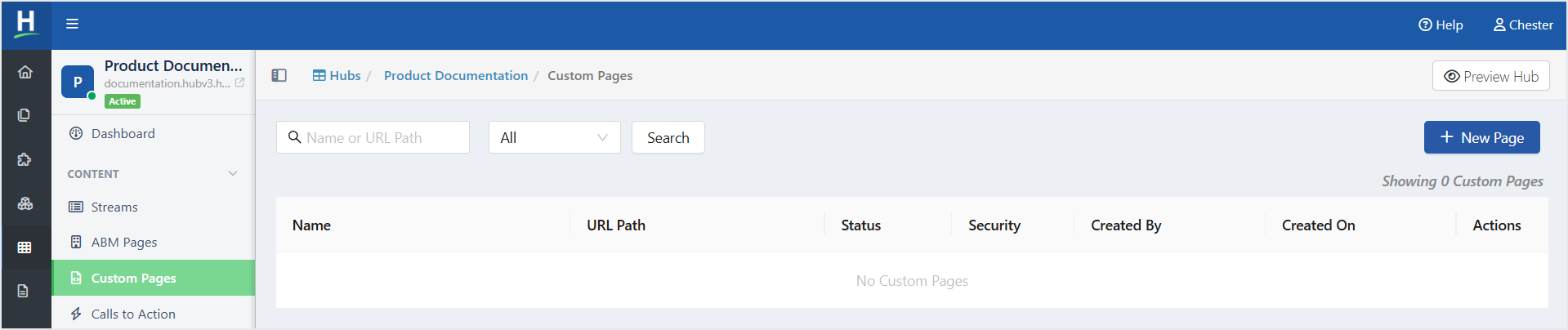
Search for a Custom Page
To search for a Custom Page, follow the steps below:
- From the Left Navigation Menu, click Hubs. On the Hubs listing page, select the Hub you want to manage. From the Hub Menu, under CONTENT, click Custom Pages.
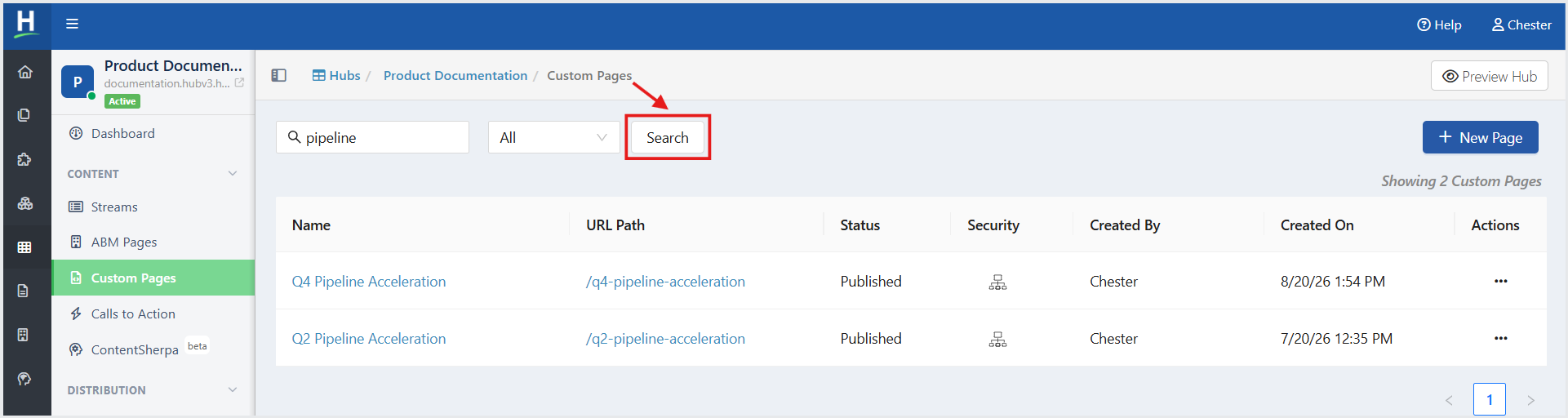
- On the Custom Pages listing page:
- In the Name or URL Path field, enter the page name or URL path.
- Optionally, select a page status from the Status drop-down list.
- Click Search. Matching pages are displayed in the page list.
- In the Name or URL Path field, enter the page name or URL path.
Related Topics:
How to Edit and Delete a Custom Page
Was this article helpful?
That’s Great!
Thank you for your feedback
Sorry! We couldn't be helpful
Thank you for your feedback
Feedback sent
We appreciate your effort and will try to fix the article