Global Embed Settings lets you define a global accent color and global styles for Stream, Form, and ContentSherpa embeds. These settings are applied across embeds unless an individual embed has its own configuration.
Setting up Global Settings
- From the Left Navigation Menu, click Hubs. On the Hubs listing page, select the Hub you want to manage. From the Hub Menu, click DISTRIBUTION, and then click Website Embeds.
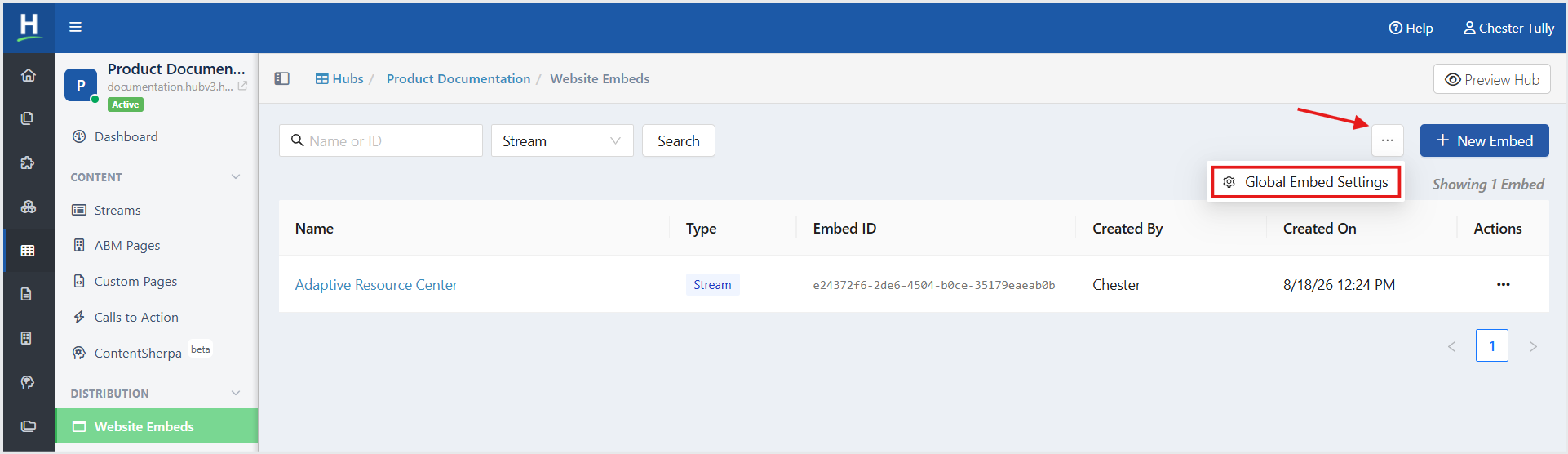
- On the Website Embeds listing page, in the top-right corner, click the ellipsis (three-dot) menu, and then select Global Embed Settings.
- On the Global Embed Settings page, you can define a global accent color and global styles for your Stream, Form, and ContentSherpa embeds.
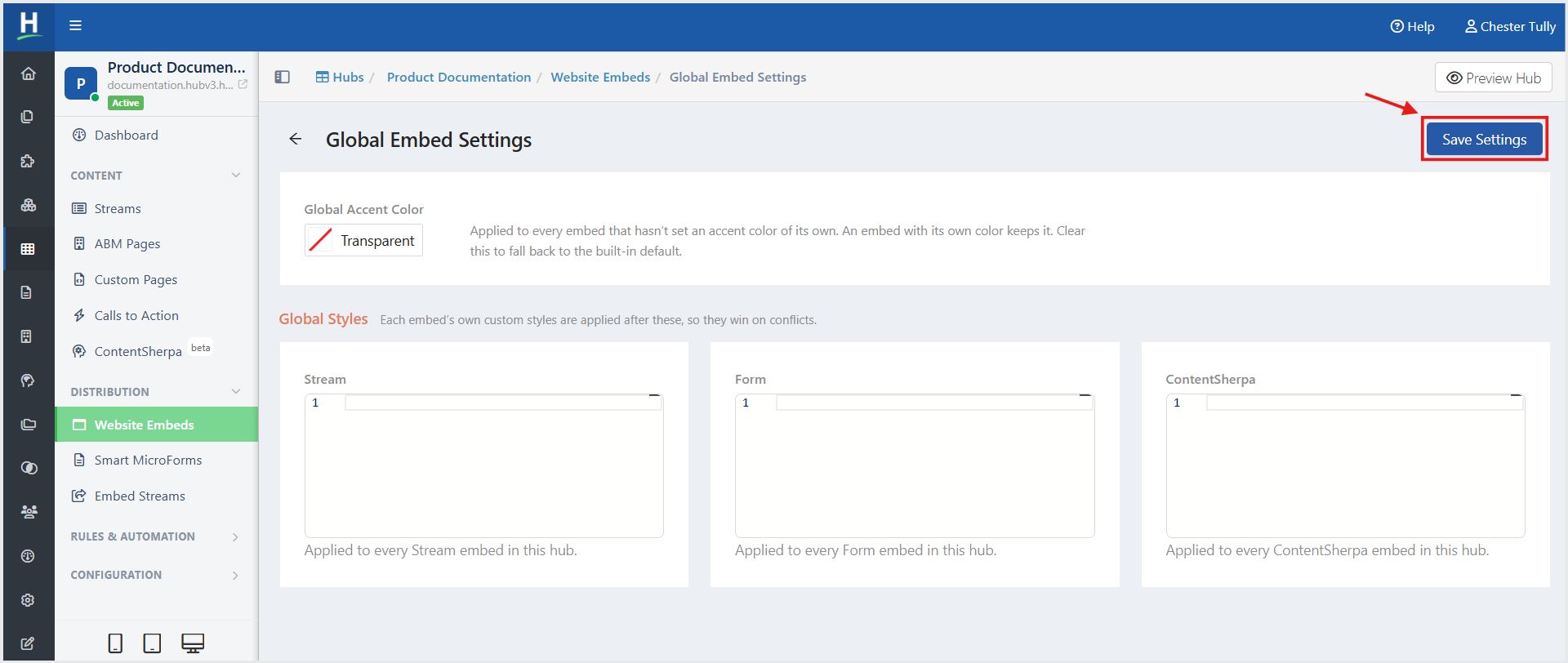
- Click Save Settings.
Note: Global styles are applied before an embed's custom styles. If an embed has custom styles that conflict with the global styles, the embed-level styles take precedence.
Configure the Global Accent Color
The Global Accent Color determines the accent color used by Website Embeds that do not have an accent color configured at the embed level.
- In Global Accent Color, select the color you want to use.
- To use the built-in default accent color instead, select Transparent.
- If an individual embed has its own accent color, that color takes precedence over the global accent color.
Configure Global Styles
The Global Styles section allows you to define CSS styles that apply to all embeds of a specific type within the Hub.
You can configure global styles for:
- Stream — Applies the styles to every Stream embed in the Hub.
- Form — Applies the styles to every Form embed in the Hub.
- ContentSherpa — Applies the styles to every ContentSherpa embed in the Hub.
Related Articles:
How to Embed a Content Resource Stream
Was this article helpful?
That’s Great!
Thank you for your feedback
Sorry! We couldn't be helpful
Thank you for your feedback
Feedback sent
We appreciate your effort and will try to fix the article