Edit a Website Embed
To edit a Website Embed, follow the steps below:
- From the Left Navigation Menu, click Hubs. On the Hubs page, select the Hub you want to manage. From the Hub Menu, click DISTRIBUTION, and then click Website Embeds.
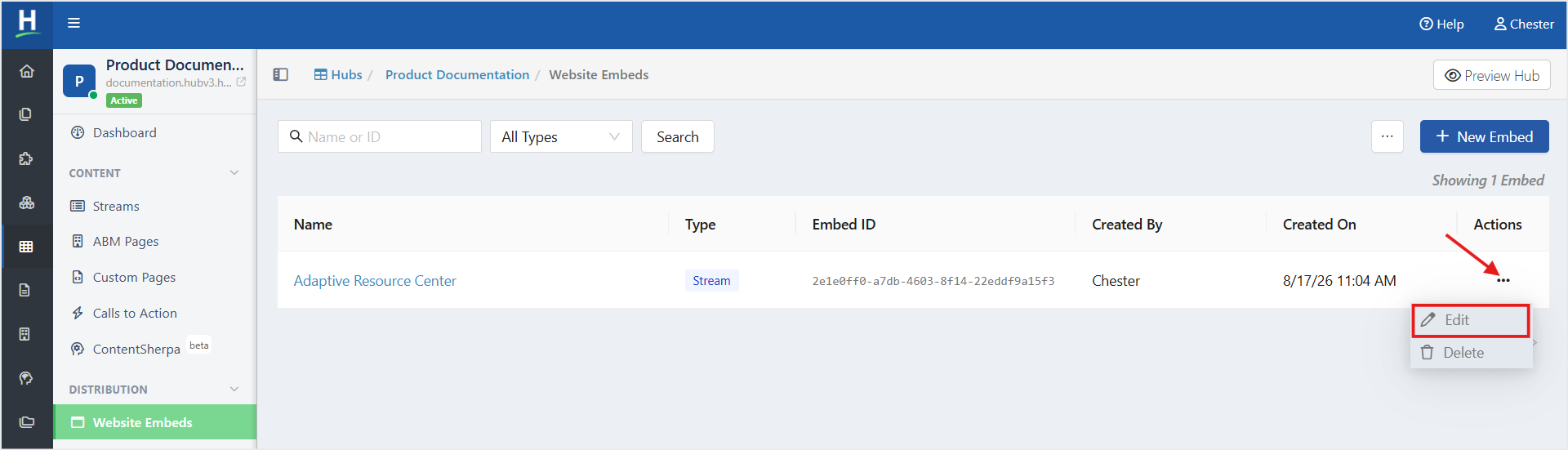
- On the Website Embeds listing page, click the ellipsis (three-dot) menu in the Actions column for website embed you want to edit, and then select Edit. In the Embed Builder, make the required changes, and then click Save Configuration.
Delete a Website Embed
To delete a Website Embed, follow the steps below:
- From the Left Navigation Menu, click Hubs. On the Hubs listing page, select the Hub you want to manage. From the Hub Menu, click DISTRIBUTION, and then click Website Embeds.
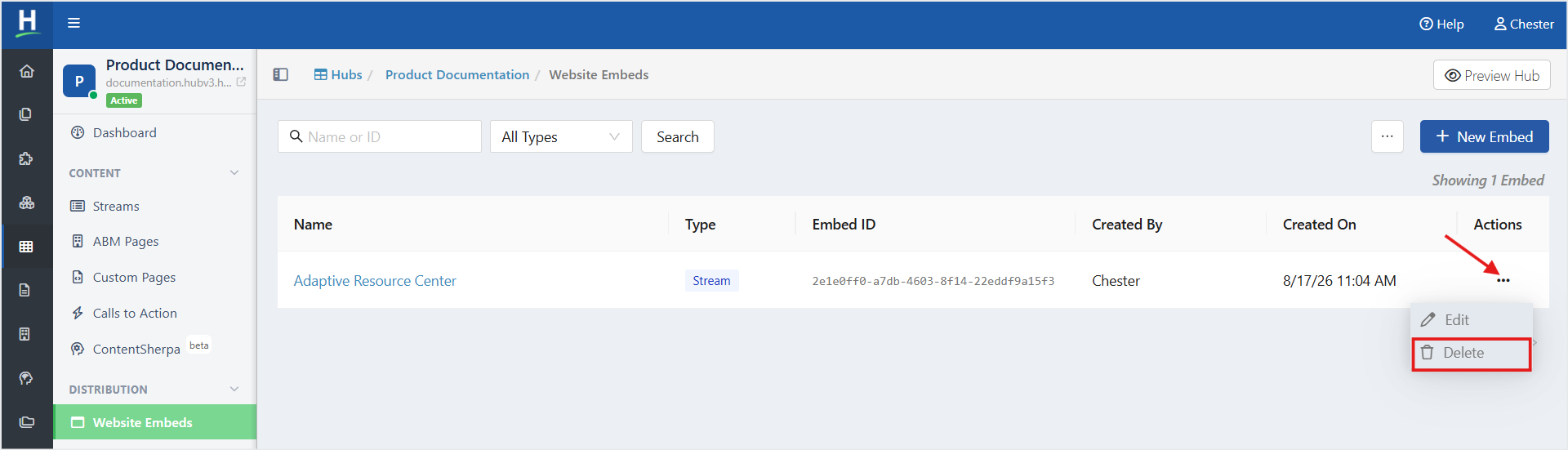
- On the Website Embeds listing page, click the ellipsis (three-dot) menu in the Actions column for the website embed you want to delete, and then select Delete.
- A confirmation message is displayed, click Delete.
Clone a Website Embed
To clone a Website Embed, follow the steps below:
- From the Left Navigation Menu, click Hubs. On the Hubs listing page, select the Hub you want to manage. From the Hub Menu, click DISTRIBUTION, and then click Website Embeds.
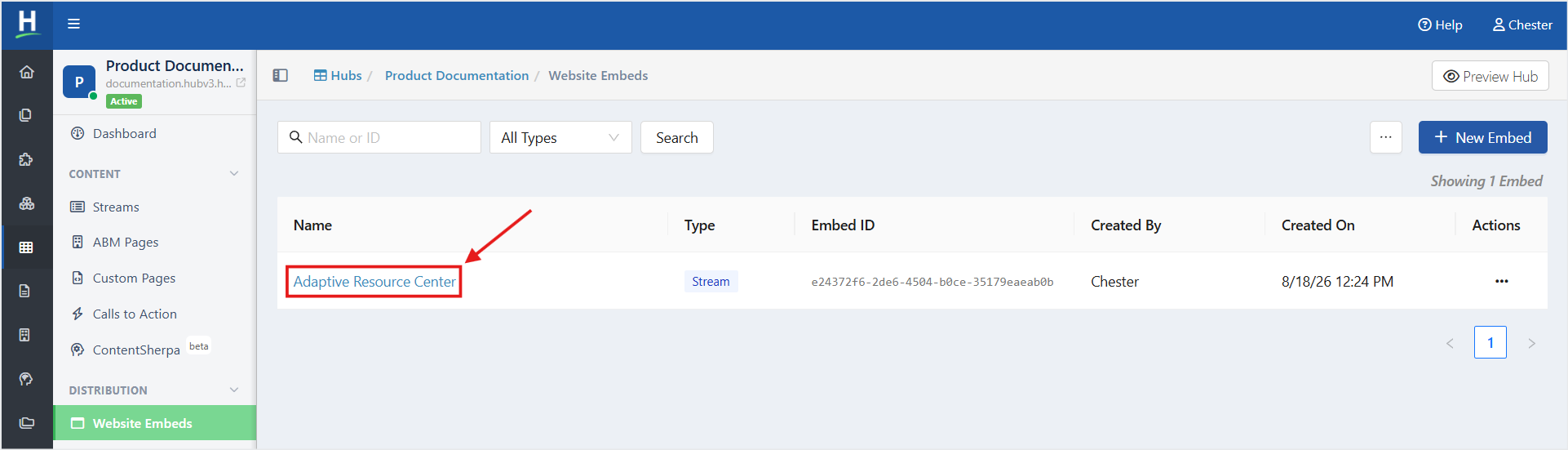
- On the Website Embeds listing page, click the website embed you want to clone in the Name column.
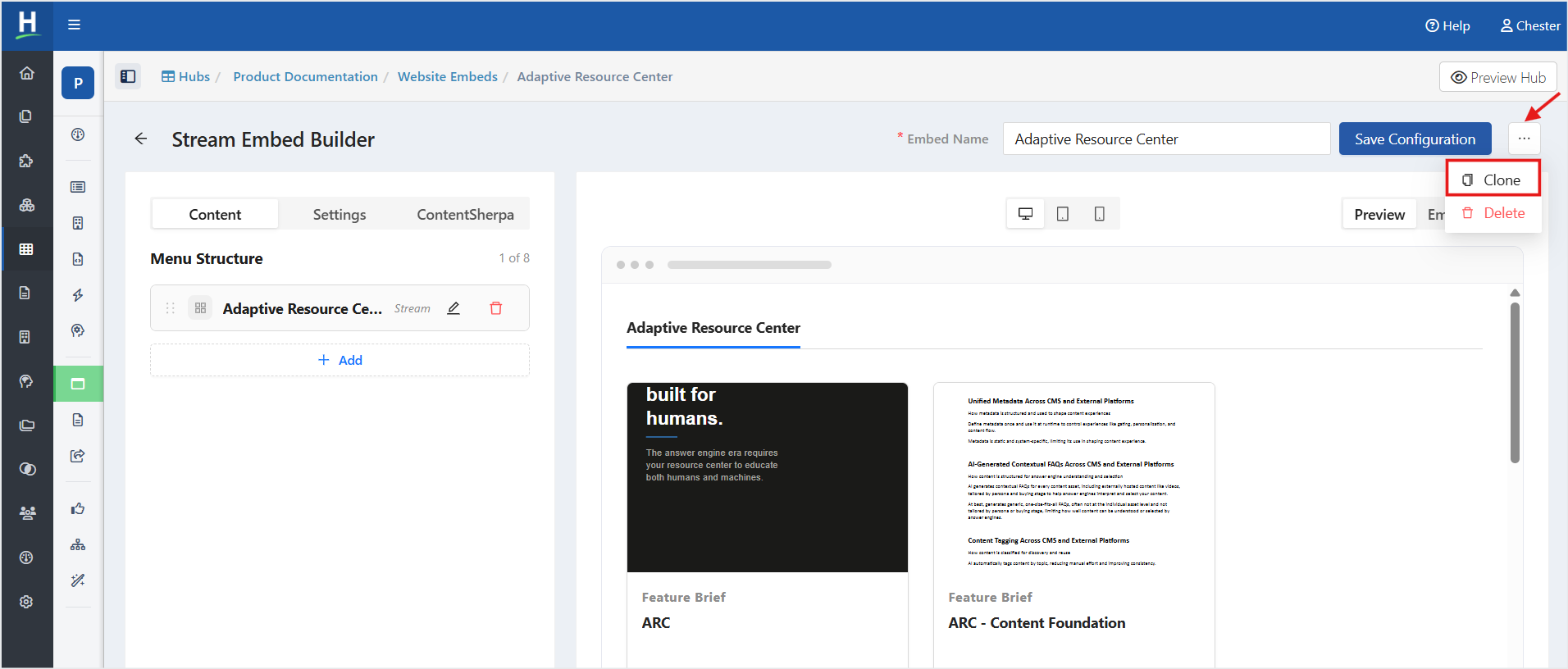
- On the Embed Builder page, in the top-right corner, click the ellipsis (three-dot) menu, and then select Clone. A confirmation message is displayed, click Clone.
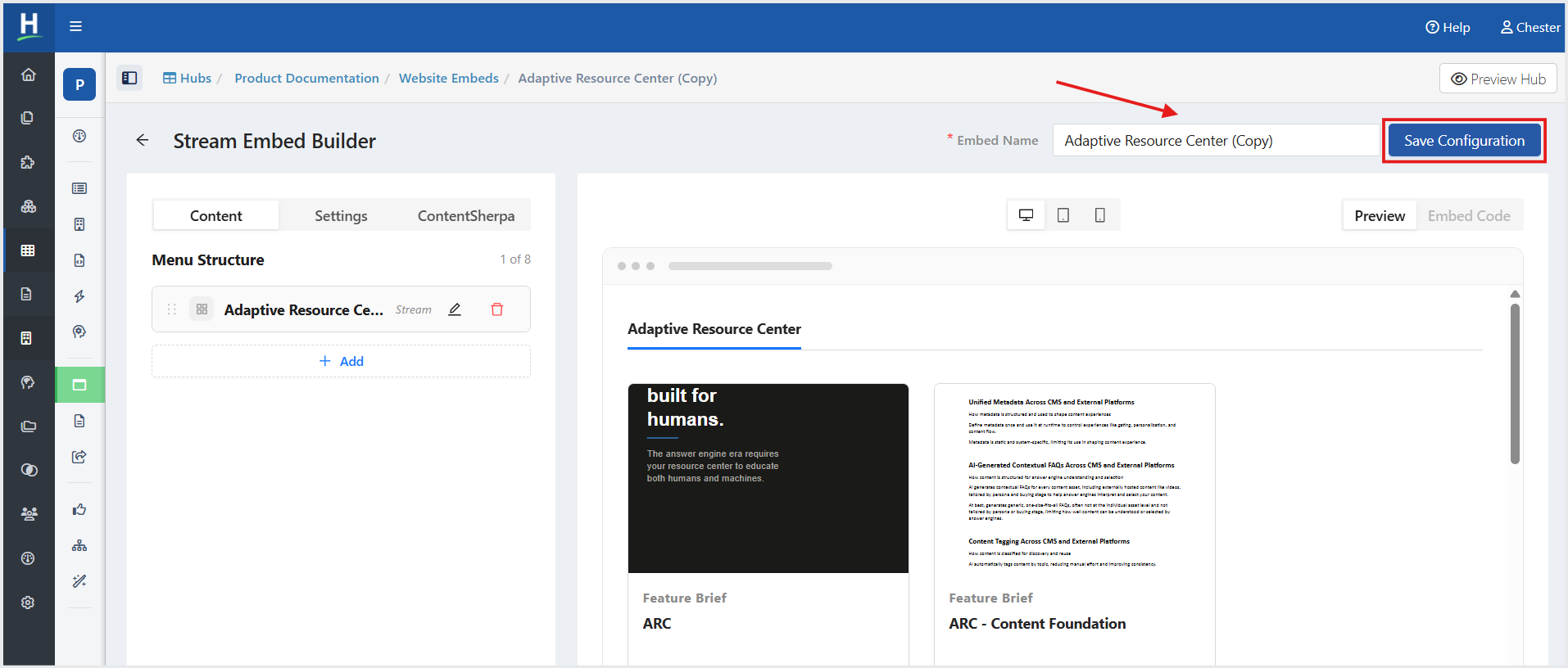
- The cloned copy is displayed on the Embed Builder page. Click Save Configuration.
Related Articles:
How to Embed a Content Resource Stream
Was this article helpful?
That’s Great!
Thank you for your feedback
Sorry! We couldn't be helpful
Thank you for your feedback
Feedback sent
We appreciate your effort and will try to fix the article