Generate persona-specific questions and answers to address common concerns, intent, and information needs for each audience type. The questions and answers should be generated and approved for the FAQ's to be displayed in the Hub level, SNLP Pages.
Important: For questions and answers to be generated in the Question tab, the Assets need to be embedded.
Why create Q&A for Personas?
Persona-based Q&A helps deliver relevant, context-aware responses, improves content discovery and engagement, and ensures AI-driven experiences align with the needs and expectations of each persona.
To generate the Questions and Answers, follow the steps below:
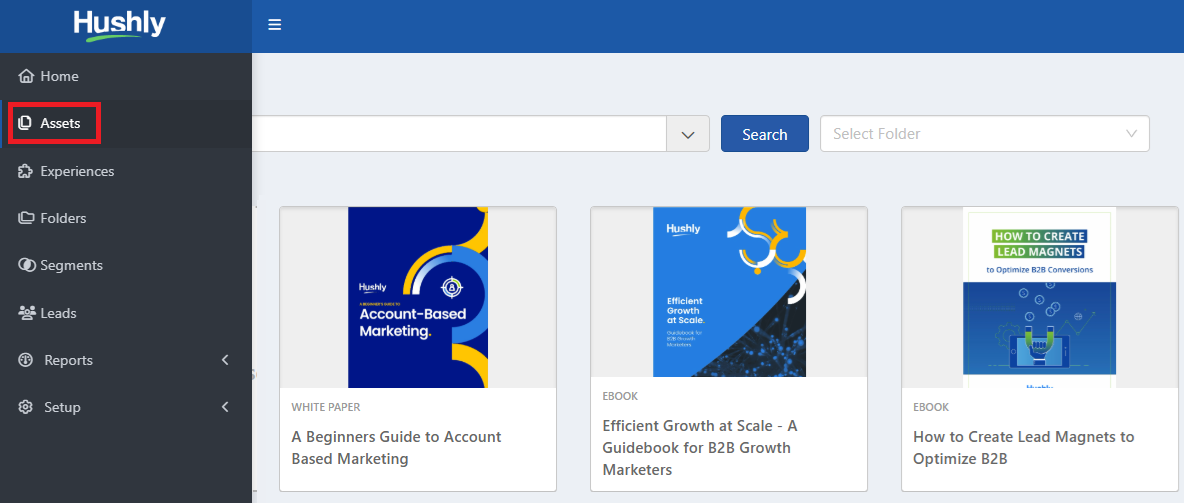
- From the Left Nav Menu, click Assets and select the Asset.
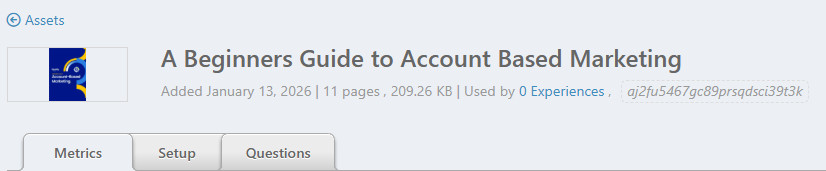
- The Asset Details page opens with the Metrics tab selected by default. Select the Questions tab.
- The Questions tab displays the Q&A workspace for an asset, organized by buyer journey stages: Awareness, Consideration, Evaluation, and Decision. You can select Personas to tailor questions to specific audiences. If no Q&A exists, you can use Generate Q&A to create AI-driven questions and answers based on the asset content and selected Personas. This helps deliver relevant, stage-specific FAQs across the buyer journey.
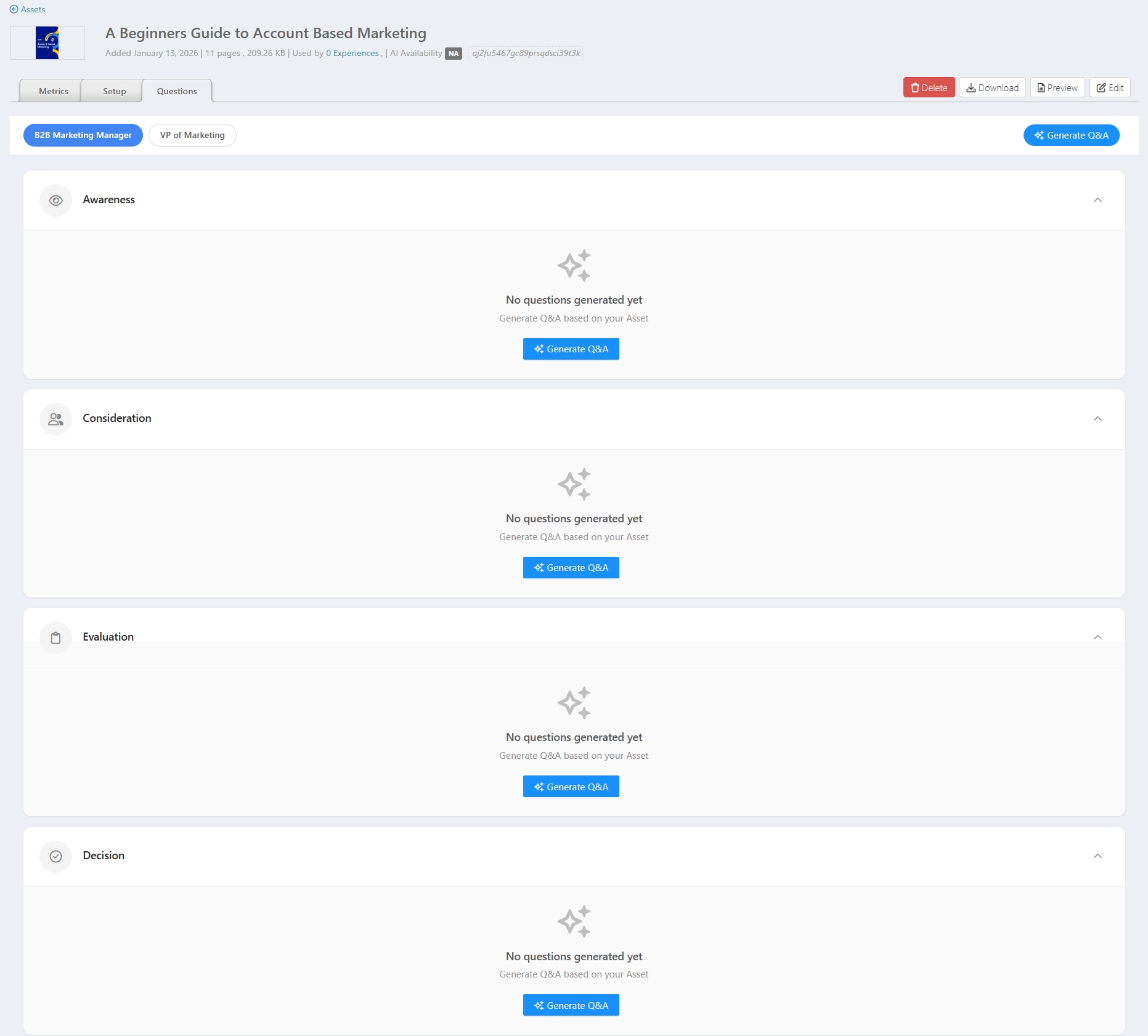
- Select a Persona to generate Q&A, and then click the Generate Q&A.

- The Generate All Questions pop-up window is displayed with options: Generate only for this Persona, Generate for all Personas, and Generate only for missing Personas & Stages.
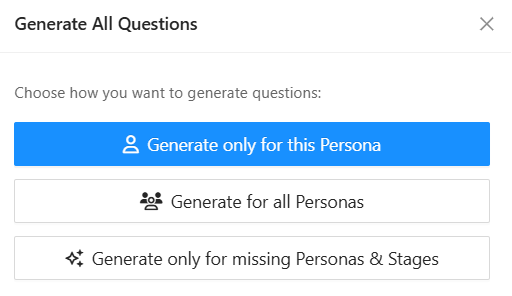
- Select Generate only for this Persona option. Creates questions and answers exclusively for the currently selected persona across relevant buying stages.
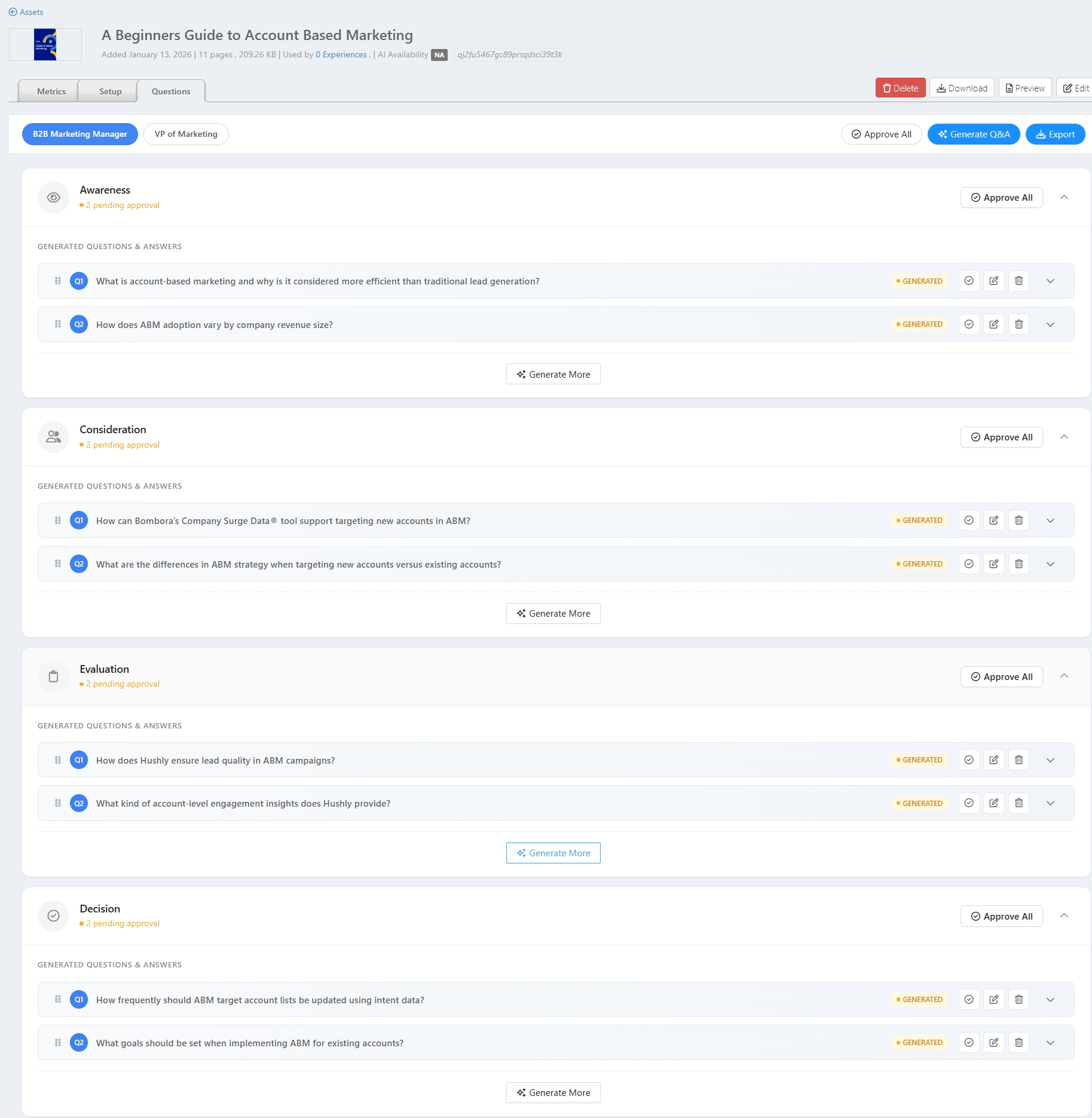
Select Generate for all Personas option. Automatically generates questions and answers for every defined persona, covering all applicable buying stages.
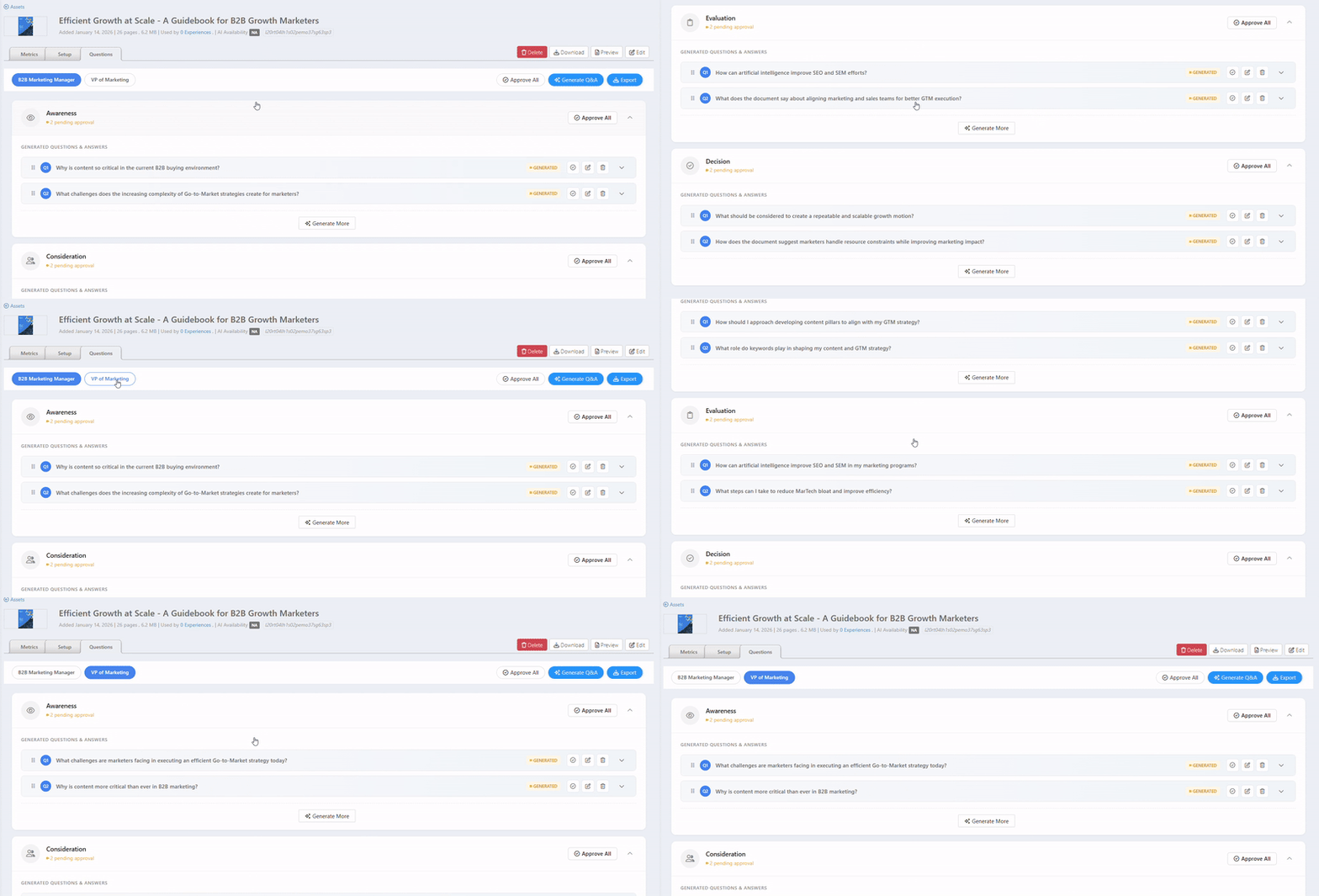
Generate only for missing Personas & Stages: Generates questions and answers only for Personas and Stages that do not already have Q&A, without modifying or overwriting existing ones.
- Select Generate only for this Persona option. Creates questions and answers exclusively for the currently selected persona across relevant buying stages.
- Persona-Based Q&A: Button Action descriptions.
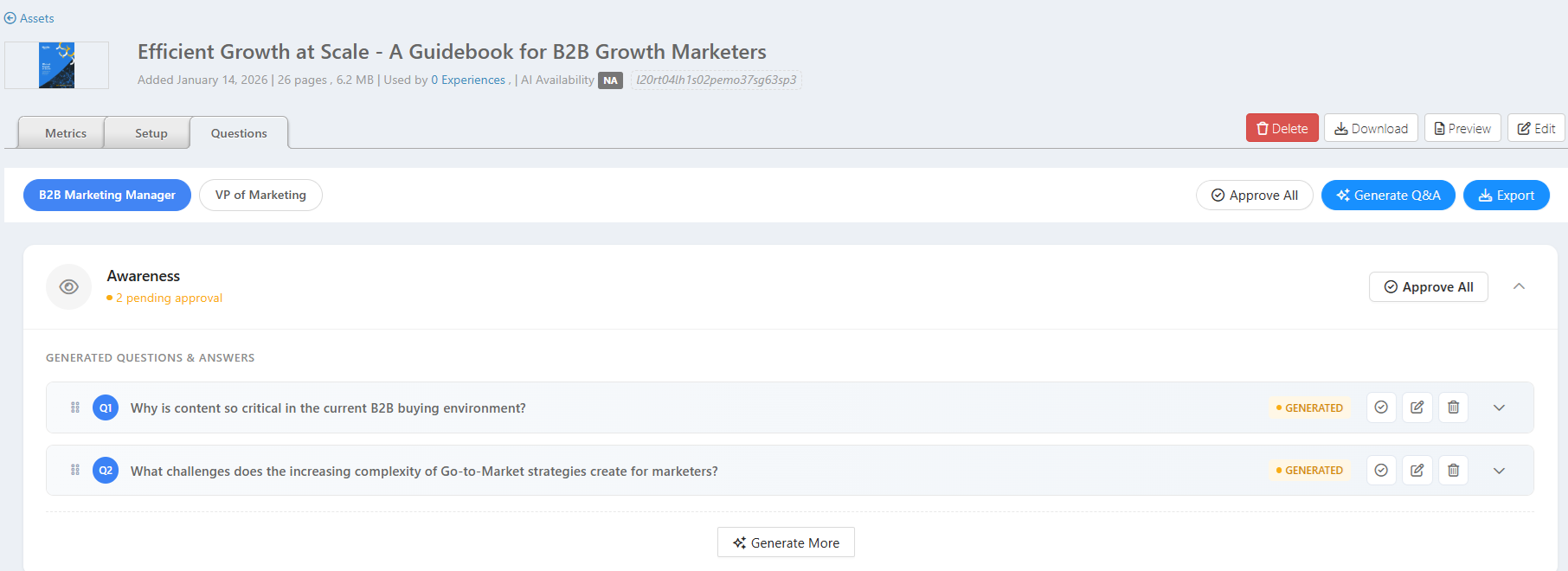
- Approve All: Approves all generated questions and answers for all the listed personas in a single action, making them ready for use.

Note: The Approve All button will appear enabled when a Q&A is generated.
- Generate Q&A: Automatically generates relevant questions and answers for all the listed personas based on the asset content. If the Q&As are already generated, clicking it the second time will add two more Q&As to the buying stages.

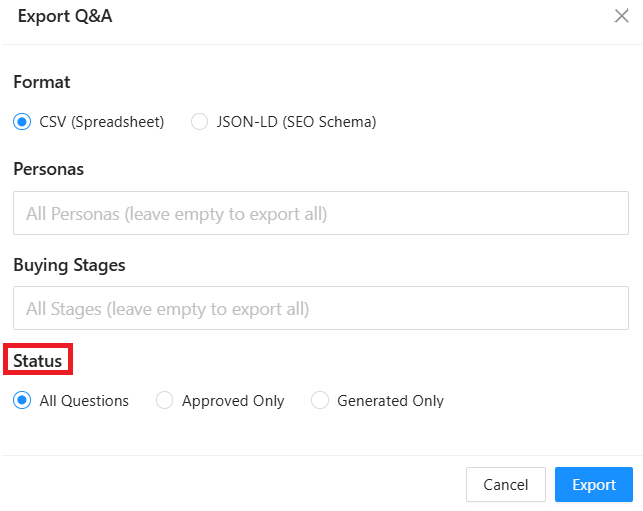
- Export: You can export the questions and answers with status All Questions, Approved Only, and Generated Only.

- All Questions - Exports all questions and answers, regardless of their status (approved or generated).
Approved Only - Exports only questions that have been reviewed and approved.
Generated Only - Exports only AI-generated questions that are not yet approved.
- All Questions - Exports all questions and answers, regardless of their status (approved or generated).
- Approve All: Approves all generated questions and answers for all the listed personas in a single action, making them ready for use.
Buying Stages: Buttons and Icon descriptions.
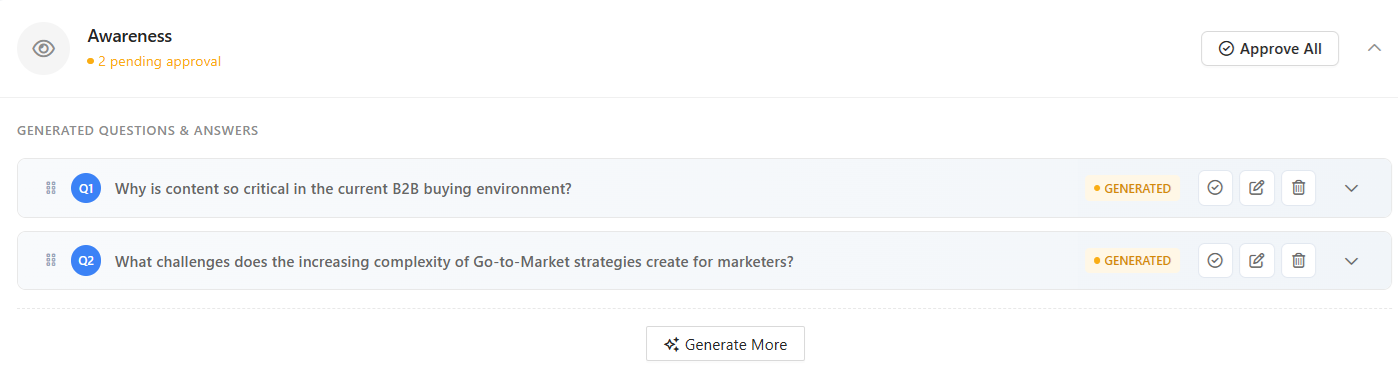 ✔️ Approve All - Approves all generated questions and answers in this stage at once, making them ready for use.
Important: Only approved questions and answers are displayed on the SNLP page in real time; unapproved items remain hidden.- ⌃ / ⌄ Collapse / Expand - Collapses or expands the stage to hide or display its questions and answers.
- ☰ Drag Handle - Reorders questions within the stage by dragging and dropping.
- ✔️ Approve - Approves the individual question and answer for use.
- ✏️ Edit - Allows you to edit the generated question or answer.
- ?️ Delete - Removes the question and answer from the list permanently.
- V Expand - Expands the question to view the full answer.
 Generated - Indicates that the question and answer were auto-generated and not yet approved. Once approved, the status changes to Approved.
✨ Generate More - Generates 2 additional questions and answers for the selected stage.
- ⌃ / ⌄ Collapse / Expand - Collapses or expands the stage to hide or display its questions and answers.
- This shows how the approved Q&As for all personas are displayed in real time at the bottom of the SNLP page.
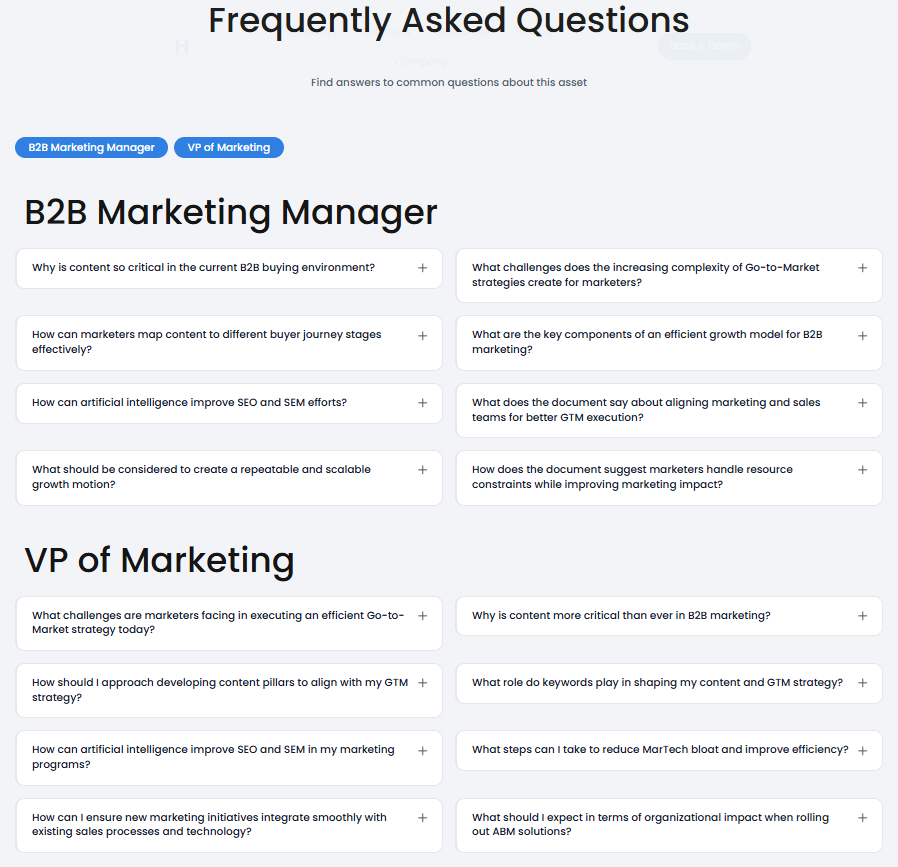
Note:- For FAQs to be displayed in real time, you must enable the Show GEO Questions toggle under Hubs > Options > Settings.
- If you do not want FAQs to appear for a specific asset on the SNLP page, edit the Stream Item and set Show GEO Questions to No.
Was this article helpful?
That’s Great!
Thank you for your feedback
Sorry! We couldn't be helpful
Thank you for your feedback
Feedback sent
We appreciate your effort and will try to fix the article