Cloning a CTA
To clone a CTA, follow the steps below:
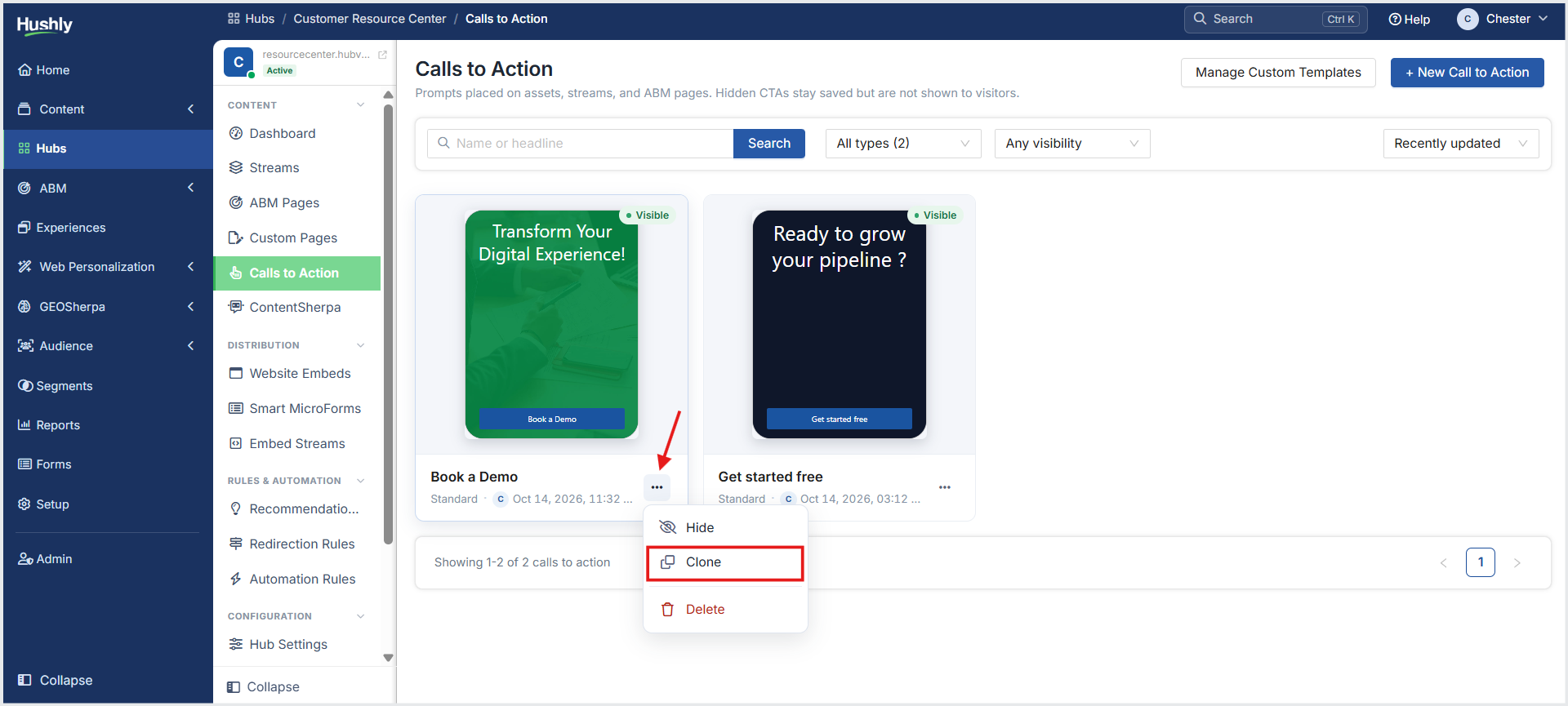
From the Left Navigation Menu, click Hubs. On the Hubs listing page, select the Hub you want to manage. From the Hub Menu, under CONTENT, click Calls to Action. On the Calls to Action listing page, click the three-dot menu (Actions) icon for the CTA you want to clone, and then select Clone.
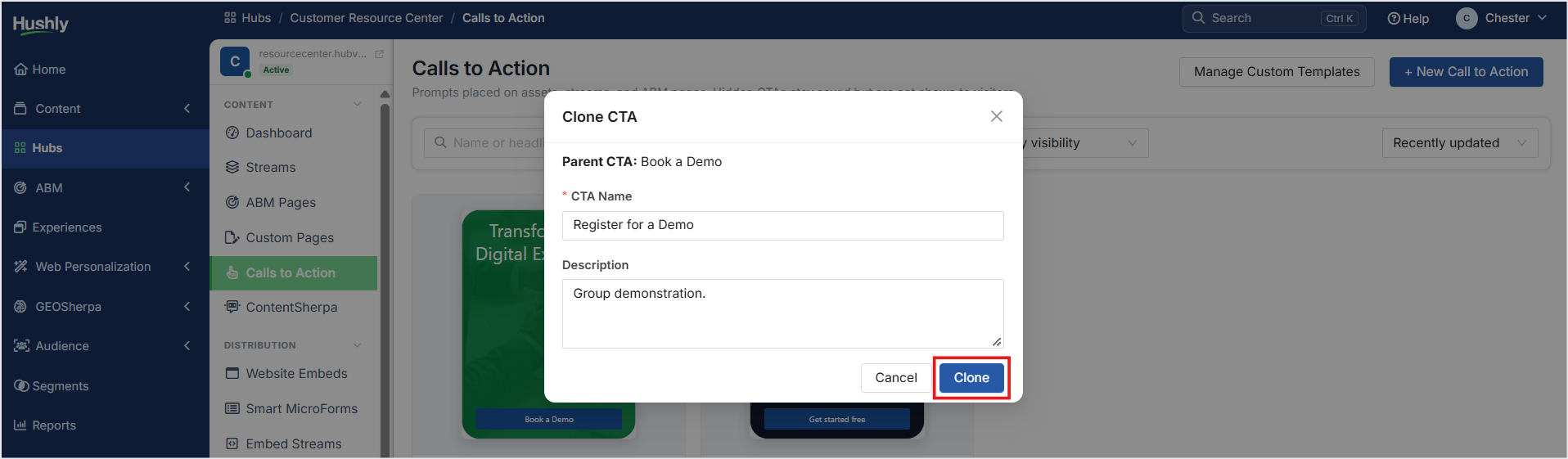
In the Clone CTA pop-up window, enter the CTA Name and click Clone.
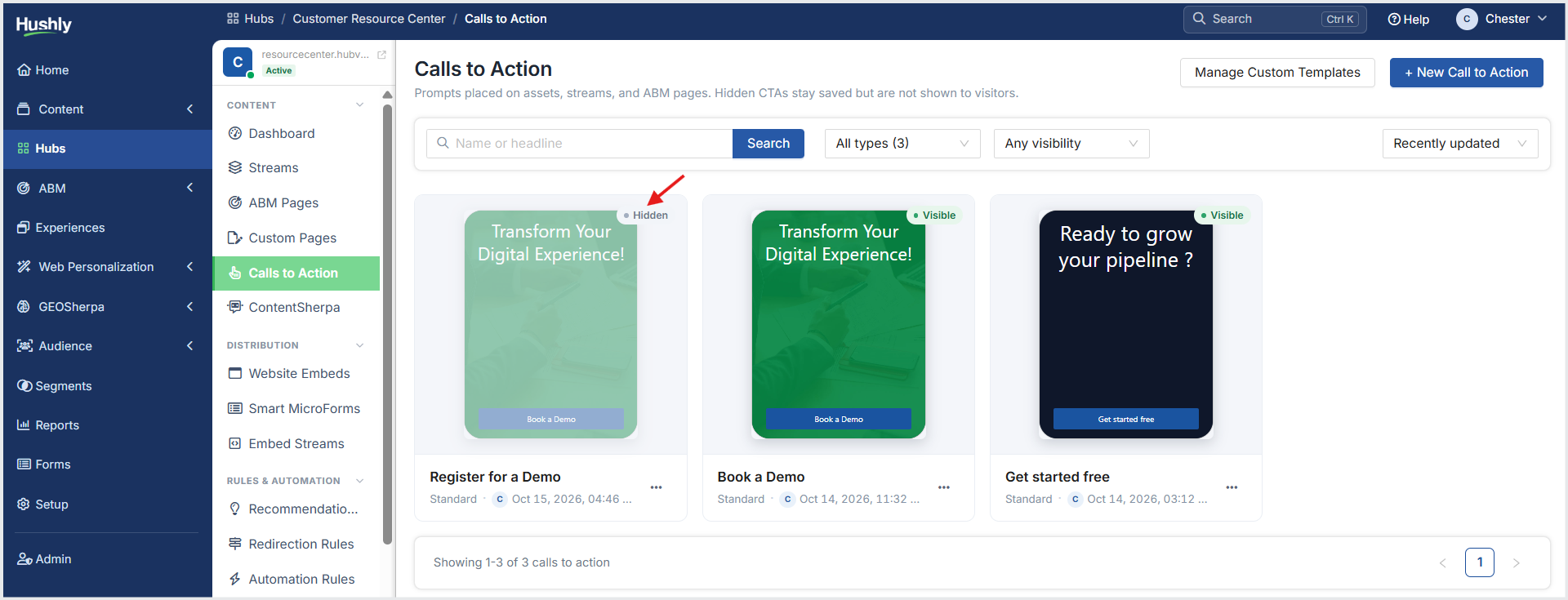
On the Calls to Action listing page, the CTA is displayed with its status set to Hidden. The CTA is deactivated across all Streams in which it is configured.
Was this article helpful?
That’s Great!
Thank you for your feedback
Sorry! We couldn't be helpful
Thank you for your feedback
Feedback sent
We appreciate your effort and will try to fix the article