Smart Gating via Integration lets Hushly use data from your marketing automation platforms, such as Marketo or HubSpot, to control form experiences for visitors intelligently.
When Smart Gating is enabled, Hushly checks the visitor’s information against the data stored in the integrated platform. If the visitor is already known in Marketo or HubSpot, the system can reduce or remove form fields, prefill information, or grant direct access to content without requiring the visitor to complete the form again.
Configuring Smart Gating for Marketo
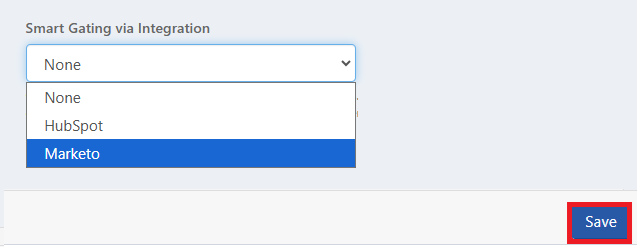
- Go to Hubs > Options > Settings > Smart Gating via Integration, select Marketo from the available options, and click Save.
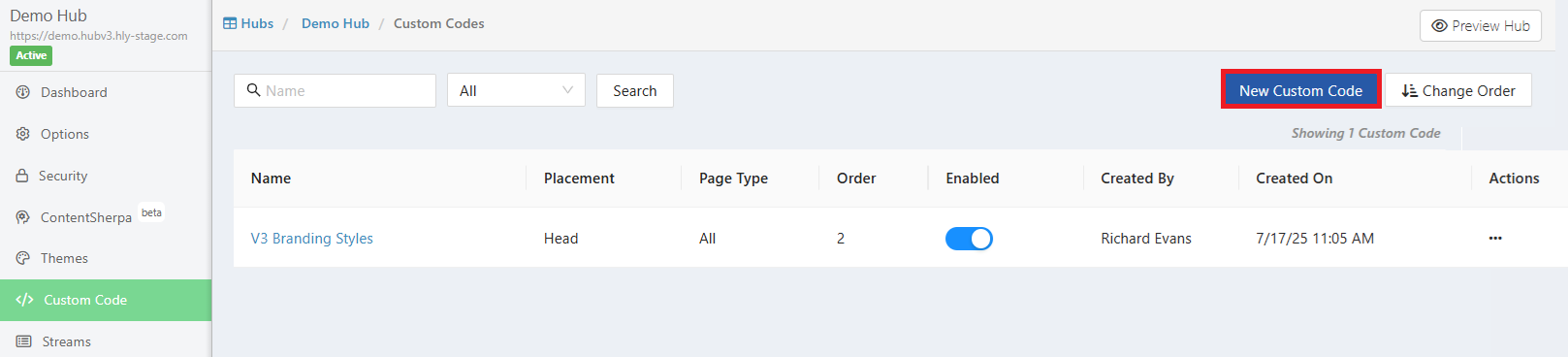
- From the Hubs menu, select Custom Code. On the Custom Code list page, click the New Custom Code button.
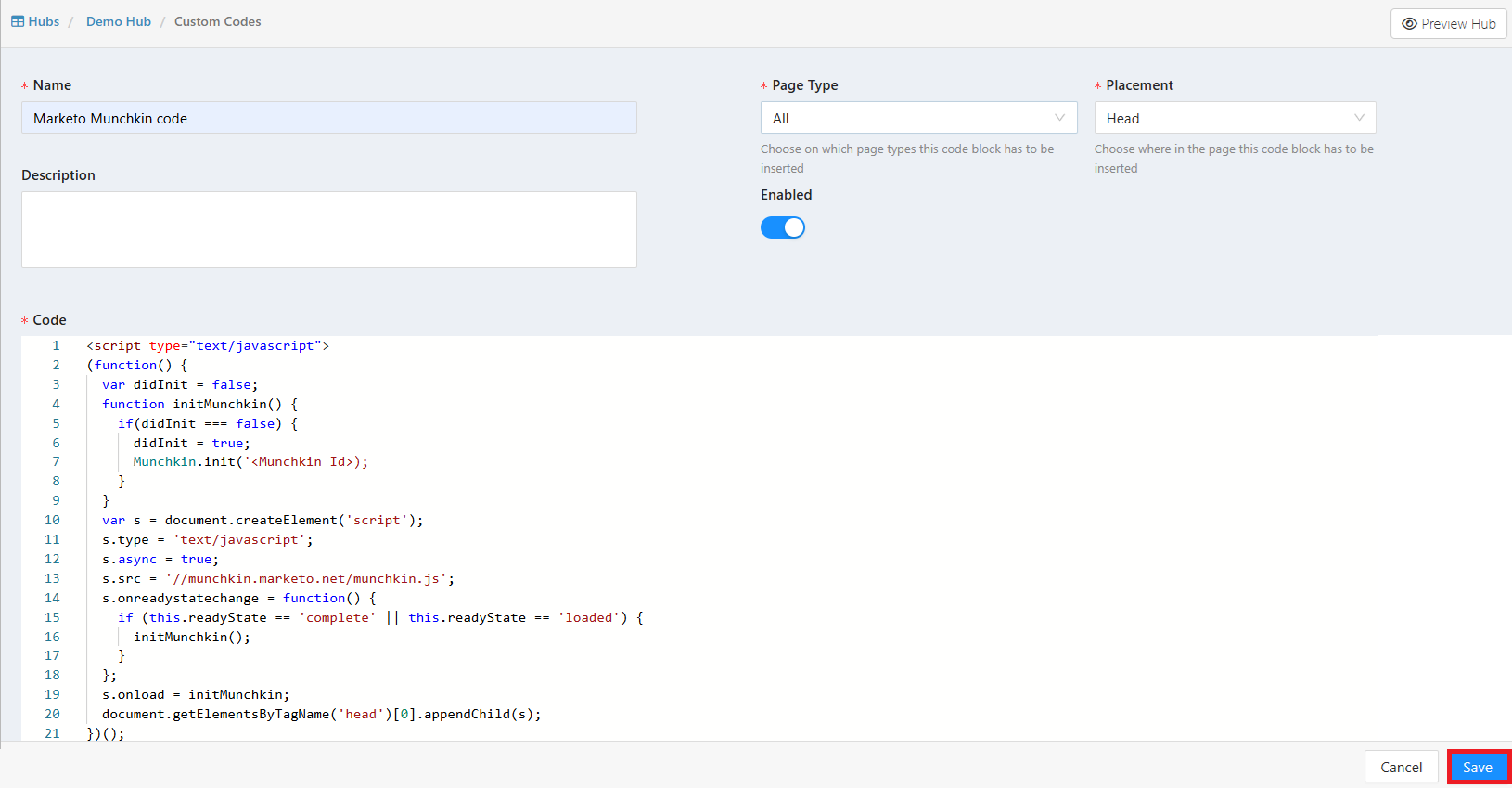
- On the Create Custom Code page, enter the Name, Description, Page Type, and Placement. The Enabled toggle is set to Yes by default. Enter the Munchkin code in the Code field, and then click Save.
Configuring Smart Gating for HubSpot
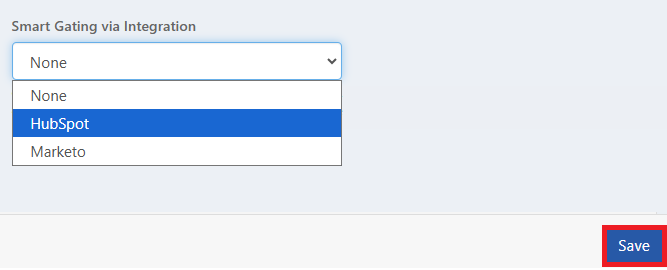
- Go to Hubs > Options > Settings > Smart Gating via Integration, select HubSpot from the available options, and click Save.
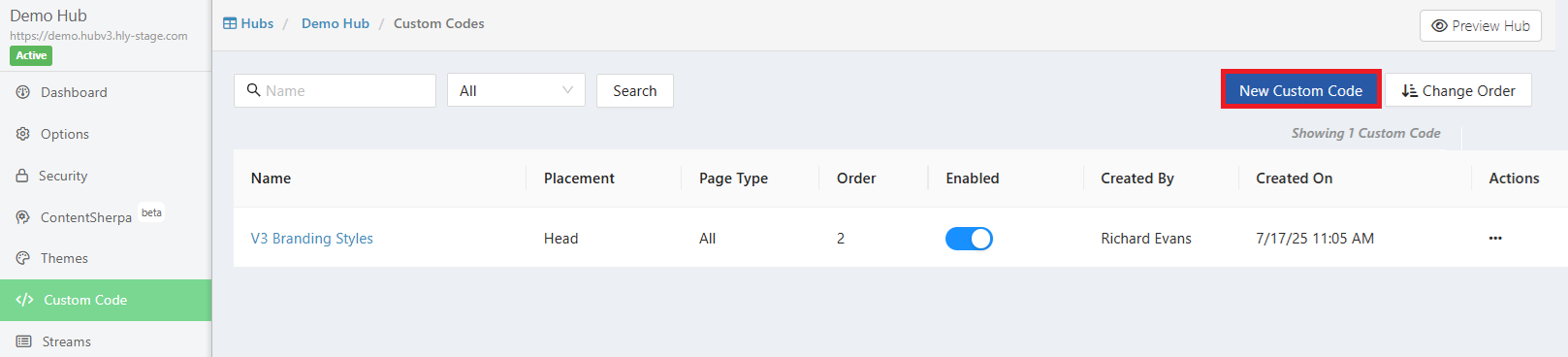
- From the Hubs menu, select Custom Code. On the Custom Code list page, click the New Custom Code button.
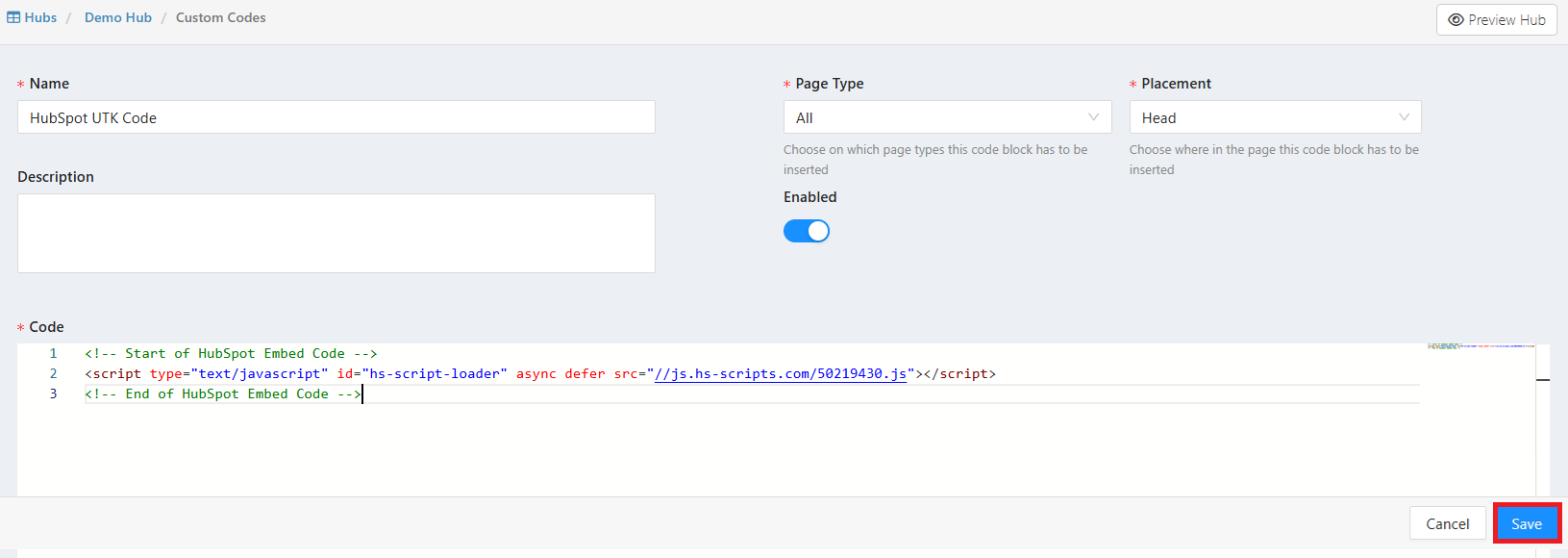
- On the Create Custom Code page, enter the Name, Description, Page Type, and Placement. The Enabled toggle is set to Yes by default. Enter the HubSpot's UTK Code in the Code field, and then click Save.
How it works in Real Time
This feature allows you to ungate assets for known users based on your connected Marketing Automation Platform (MAP). Once configured, this option automatically ungates content for known Marketo/HubSpot users, creating a seamless experience for visitors who engage via emails sent via Marketo/HubSpot or who have previously submitted a form anywhere on your website.
Note: Visitor identification uses Marketo/HubSpot API calls.
How Smart Gating Identifies Known Users
- When a visitor lands on the page, Smart Gating checks the browser for the _mkto_trk Marketo and hubspotutk HubSpot tracking cookies..
- If the cookie is not immediately available, the client retries, polling every ~500ms for up to 5 seconds. This covers cases where the cookie takes a moment to be written to the browser.
- Once the cookie is found, a server-side API call is made to /leadFromExternalSystem to check whether a Marketo/HubSpot lead is associated with that cookie token.
- The server internally retries this API call up to 3 times, with a 2.5s delay between attempts (~7.5s total), giving Marketo time to complete the cookie ↔ lead association. This is invisible to the browser — only 1 call is visible in the Network tab.
- The client receives the final resolved response. If extantLead: true, the content is ungated. Otherwise, the form is displayed.
Required Cookies & Identifiers
Marketo:
_mkto_trk - Required. Links the browser session to a Marketo lead record. Without this cookie, Smart Gating cannot
Query Marketo and will default to gating the content.
Marketo email token (in URL) — Required for first-time email link visitors to trigger the initial cookie ↔ lead association
on Marketo's side.
HubSpot:
hubspotutk - Required. This is the primary user token cookie used by HubSpot to uniquely identify a visitor’s browser. It links the visitor’s activity to a contact record in HubSpot. Without this cookie, Smart Gating cannot identify the visitor in HubSpot and will default to gating the content.
HubSpot tracking parameters (URL parameters) - Required for first-time visitors arriving through tracked HubSpot links. These parameters help associate the visitor session with an existing contact in HubSpot. Once the visitor is recognized, HubSpot sets the hubspotutk cookie to maintain the contact–browser association for future visits.
Was this article helpful?
That’s Great!
Thank you for your feedback
Sorry! We couldn't be helpful
Thank you for your feedback
Feedback sent
We appreciate your effort and will try to fix the article