Brand Voice defines how the AI should communicate on your brand's behalf. It ensures all AI-generated responses remain consistent in tone, personality, and writing style, aligned with your organization’s communication standards.
By configuring these settings, you guide the AI to sound more like your brand, whether that’s professional, friendly, technical, or conversational. In short, Brand Voice turns the AI from a generic assistant into a branded communicator.
To set up the Brand Voice (AI), follow the steps below:
- From the Left Nav, click Setup > Brand Voice (AI).
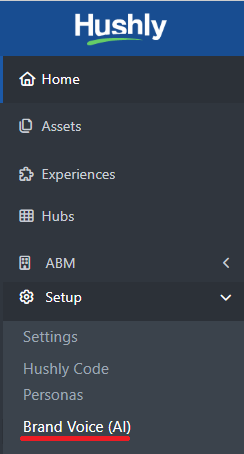
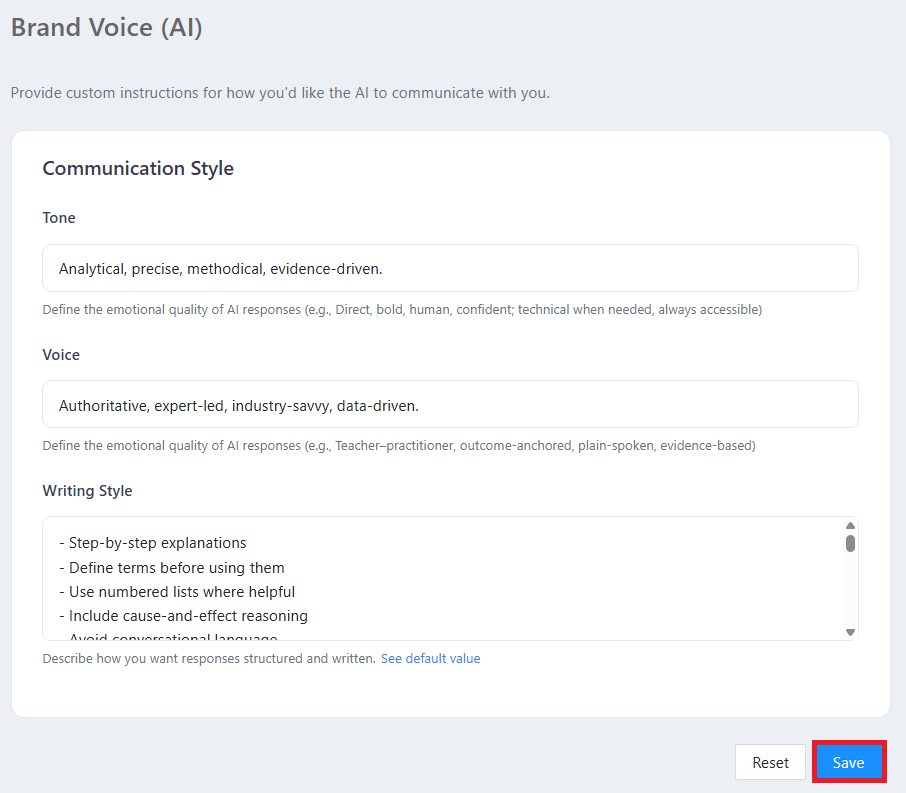
The Brand Voice (AI) page is displayed, allowing users to configure communication styles.
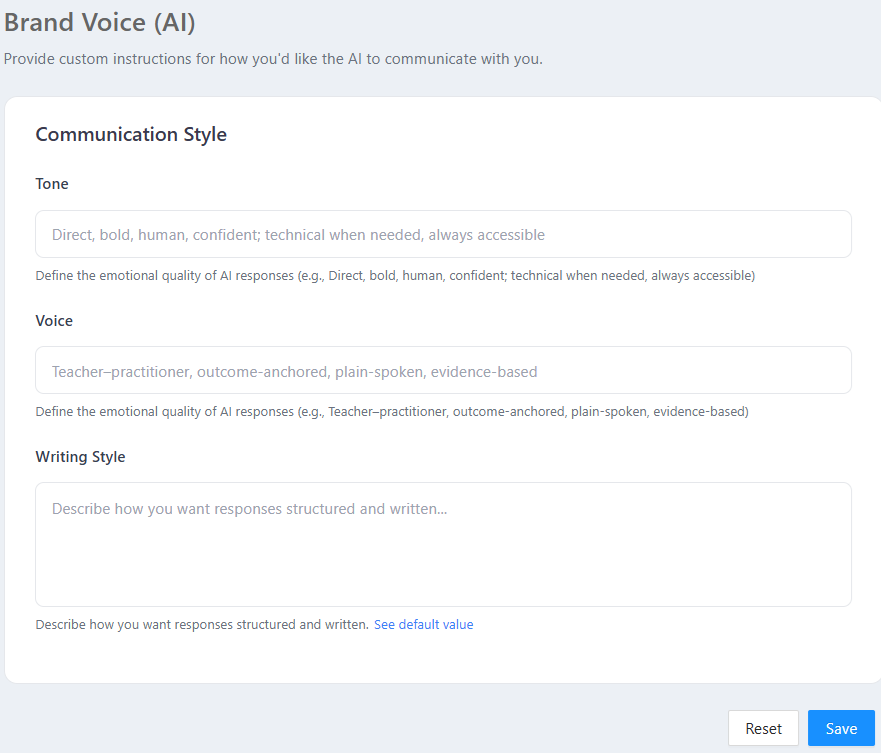 Important: If the Communication Style (Tone, Voice, and Writing Style) is not configured, the default placeholder values will be used to generate the Brand Voice.
FieldFocuses OnQuestion it AnswersTone Emotion How should the AI feel? Voice Personality Who should the AI sound like? Writing Style Structure How should the response be written? - Tone:
- Purpose - Defines the emotional quality of the AI’s responses.
- This field controls how the AI sounds emotionally. It influences whether the AI feels:
* Formal or casual
* Friendly or authoritative
* Confident, empathetic, neutral, etc.
Example: Direct, bold, human, confident; technical when needed, always accessible.
- Voice:
- Purpose - Defines the personality and role the AI should adopt.
- This field describes how the AI should sound. It shapes the overall character of responses, such as:
* A teacher
* A consultant
* A peer or advisor
* A practitioner
Example: Teacher-practitioner, outcome-anchored, plain-spoken, evidence-based
Writing Style:
- Purpose - Defines how responses should be structured and presented.
- This field controls how the content is written and formatted*, including:
* Use of bullet points or paragraphs
* Level of detail (concise vs. in-depth)
* Use of examples, headings, or summaries
* Formal vs. conversational sentence structure
Example: Inputs could include:* Short paragraphs with headings and bullet points.
* Concise, step-by-step, no jargon.
* Documentation style with clear sections.
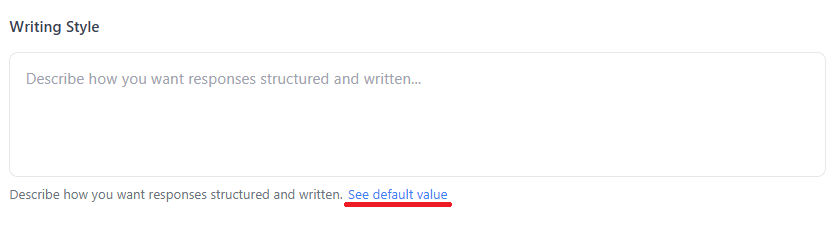
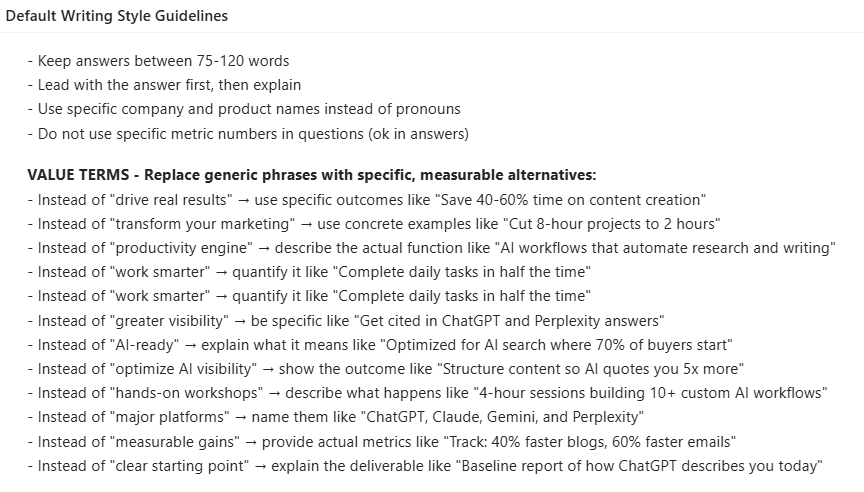
You can click the Default Value link to view the guidelines and rules the AI will follow if the Writing Style field is not customized.
The Default Value pop-up opens, displaying the system’s default Writing Style guidelines.
- Tone:
Once the Communication Styles fields (Tone, Voice, and Writing Style) are configured, click Save.
A confirmation message is displayed indicating that the AI preferences have been successfully updated.

Was this article helpful?
That’s Great!
Thank you for your feedback
Sorry! We couldn't be helpful
Thank you for your feedback
Feedback sent
We appreciate your effort and will try to fix the article