Consent Management is the process of collecting, storing, managing, and honoring user consent for data collection and processing.
It ensures that organizations:
- Collect personal data lawfully and transparently
- Respect user choices regarding cookies, tracking, and data usage
- Comply with privacy regulations such as GDPR, CCPA, DPDP Act (India)
Key purposes:
- Inform users what data is being collected
- Allow users to accept, reject, or customize consent
- Record consent as proof for compliance
- Enable users to change or withdraw consent later
Hushly’s Consent Management module enables users to manage and apply their consent preferences for data collection and usage.
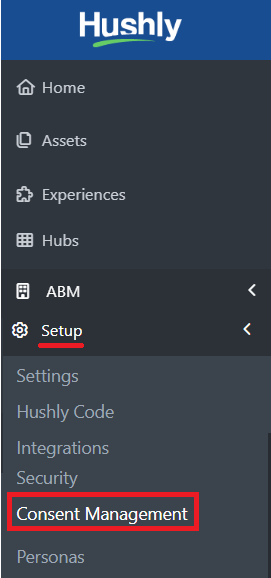
- From the Left Nav Menu, select Setup > click Consent Management.
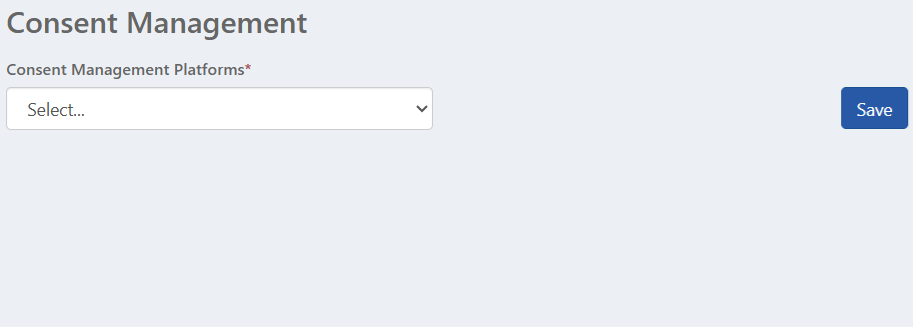
- The Consent Management page provides a Consent Management Platform selection field and a Save button to save the settings.
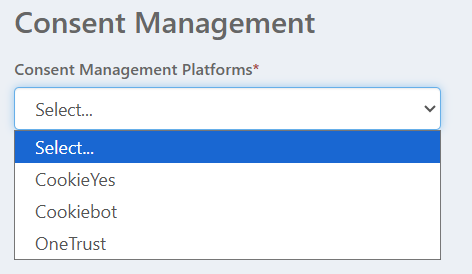
- From the Consent Management Platforms options, select one of the options.
- Cookiebot: Cookiebot is a more advanced CMP that offers detailed compliance and automation.
- Automatically scans websites for cookies regularly
- Provides detailed cookie declarations and consent logs
- Supports multiple languages and global compliance requirements
- Integrates well with analytics and tag management tools
- Strong focus on transparency and legal documentation
- Note: If your Consent Management Platform does not appear in the dropdown list, please contact your Customer Support Manager to have it added.
- Cookiebot: Cookiebot is a more advanced CMP that offers detailed compliance and automation.
- Selecting Cookiebot as your Consent Management Platform, this would display a list of Hushly cookies along with their purpose and consent category, which is set to Functional by default. You can update the category using the drop-down as needed and click Save.
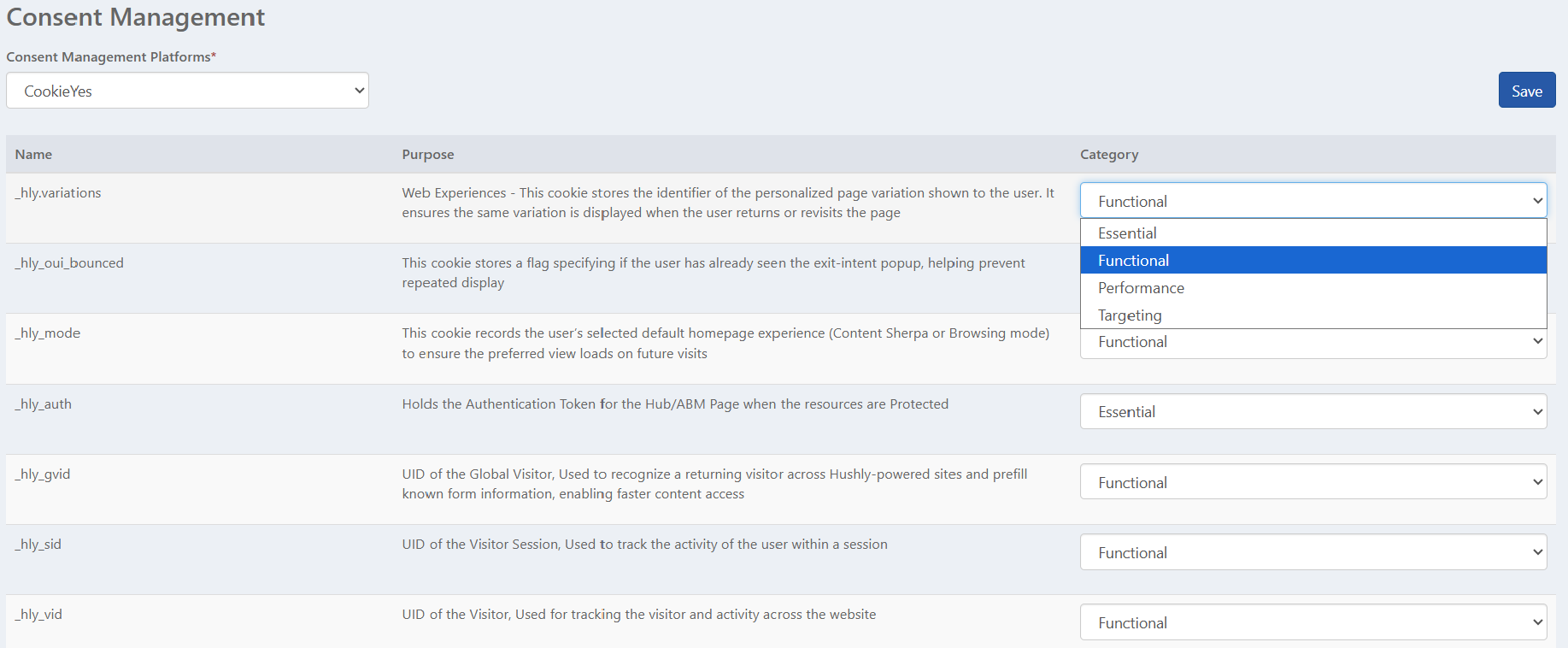
- Functional: Functional cookies are required to enable enhanced functionality and personalization on the website. They help remember user preferences and settings to provide a smoother and more consistent experience. These cookies do not track users for advertising purposes but improve usability and experience.
Examples include:Remembering language or display preferences
Maintaining session-related settings
Ensuring the correct page or variation is shown to returning users
Performance: Performance cookies collect information about how users interact with the website. The data is used in an aggregated and anonymous manner to help improve site performance and user experience. These cookies help improve the website but do not identify individual users.
Examples include:Measuring page load times
Tracking feature usage and errors
Analyzing visitor behavior to optimize content and navigation
- Targeting: Targeting cookies are used to deliver relevant and personalized content or advertisements based on user behavior and interests. They help track users across websites or sessions to build a profile for targeted engagement. These cookies are typically set by marketing tools or third-party platforms and require explicit user consent.
Examples Include:Delivering personalized marketing messages
Tracking campaign effectiveness
Retargeting users with relevant content
- Functional: Functional cookies are required to enable enhanced functionality and personalization on the website. They help remember user preferences and settings to provide a smoother and more consistent experience. These cookies do not track users for advertising purposes but improve usability and experience.
- Once the Consent Management Platform is saved with the selected category, you must configure all Hushly cookies within your chosen Consent Management Platform (for example, Cookiebot). After configuration, generate the consent script and paste it into Hubs > Custom Code (Head section) and also into your website’s header section.
Was this article helpful?
That’s Great!
Thank you for your feedback
Sorry! We couldn't be helpful
Thank you for your feedback
Feedback sent
We appreciate your effort and will try to fix the article