Unpublishing a Hushly Hub
Unpublishing a Hub means your Hub stops serving visitors. Existing links to it will stop working until you activate it again.
To unpublish a Hub, follow the steps below:
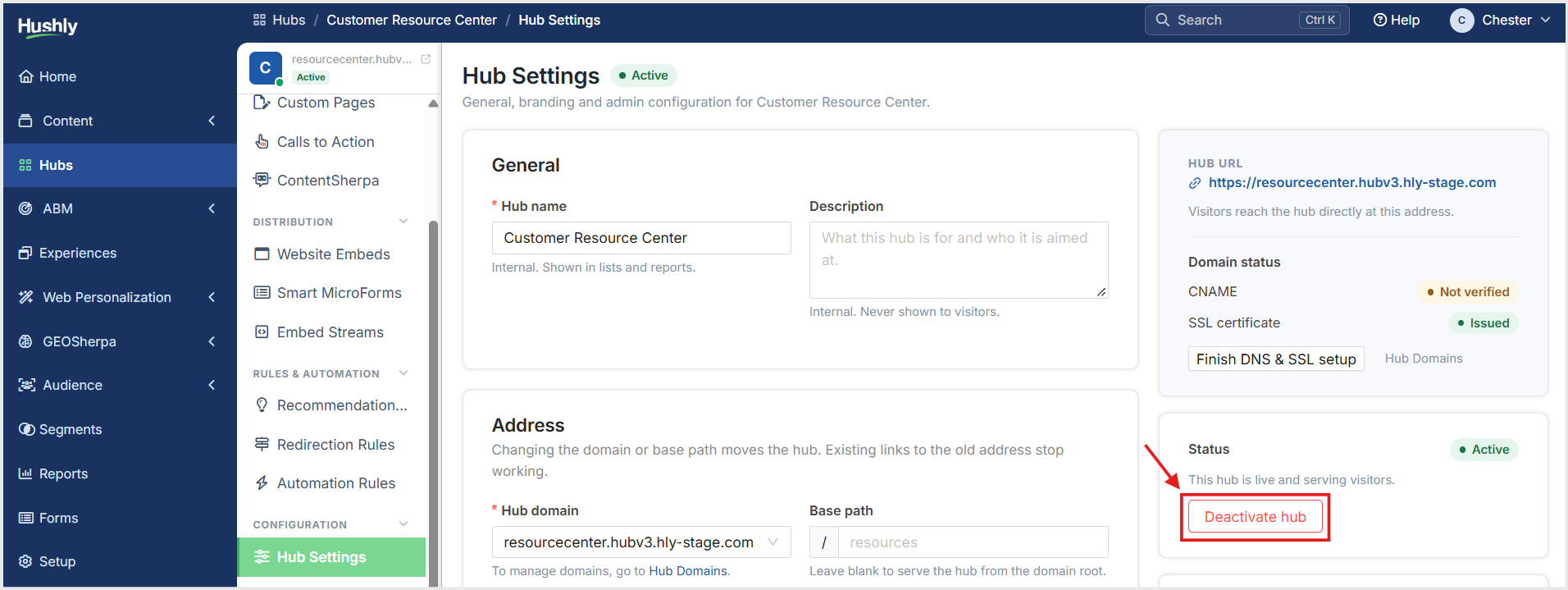
From the Left Navigation Menu, click Hubs. On the Hubs listing page, select the Hub you want to manage. From the Hub Menu, under CONFIGURATION, click Hub Settings.
On the Hub Settings page, in the status section, click Deactivate hub.
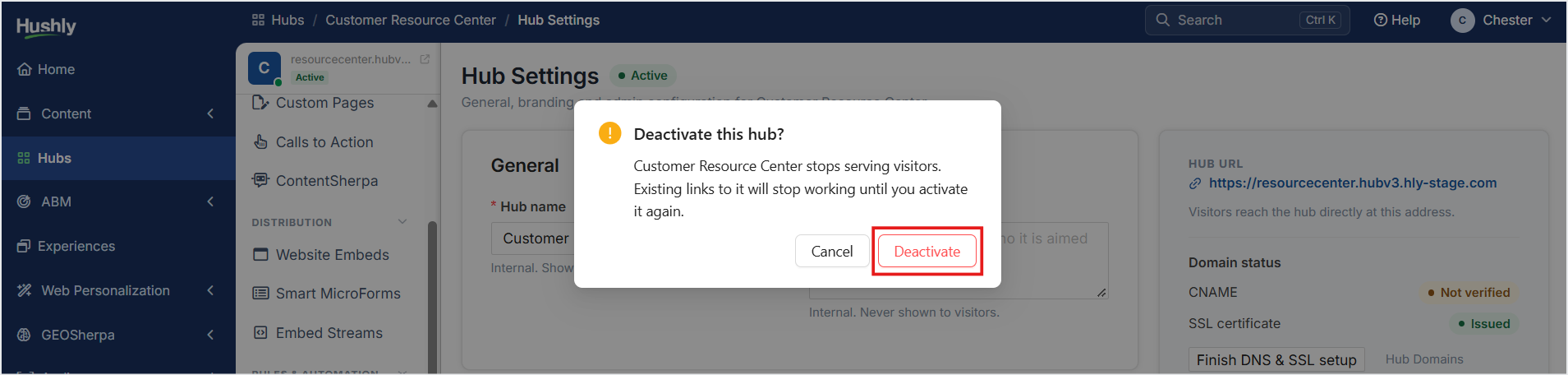
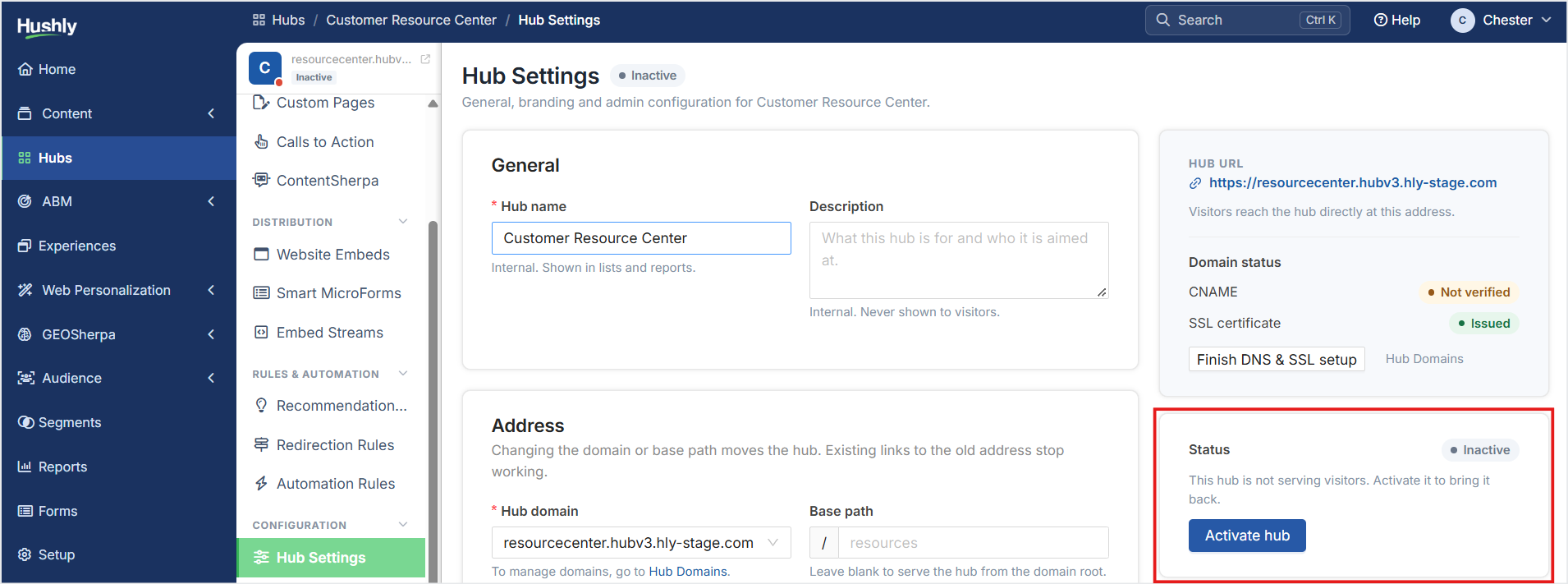
A confirmation message is displayed. Click Deactivate. The Hub's status is set to Inactive.
In the Status section, click Activate hub to reactivate the Hub.
Was this article helpful?
That’s Great!
Thank you for your feedback
Sorry! We couldn't be helpful
Thank you for your feedback
Feedback sent
We appreciate your effort and will try to fix the article