Editing a Stream
To edit a Stream, follow the steps below:
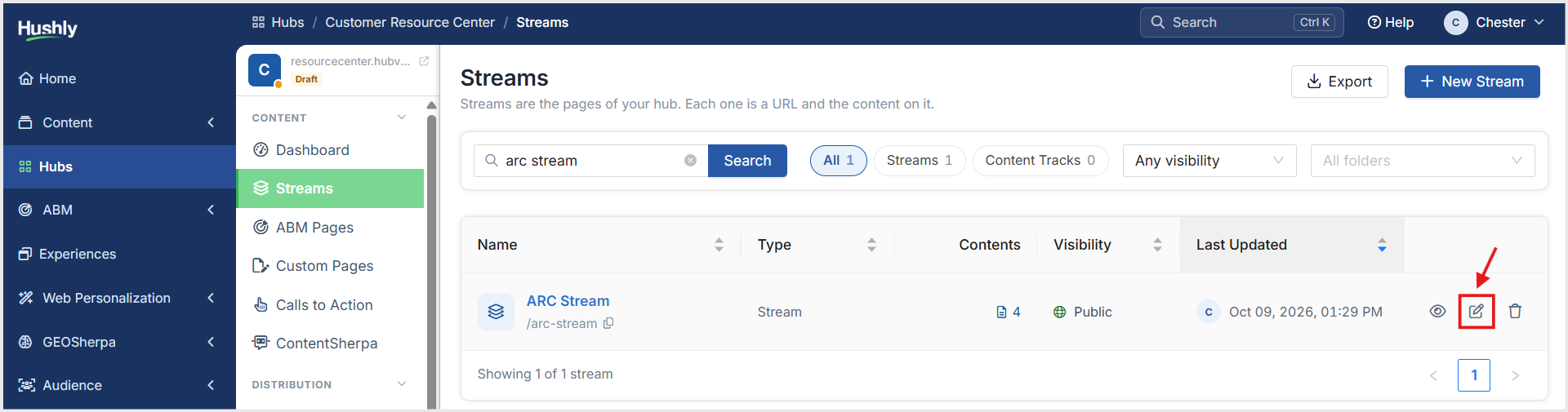
From the Left Navigation Menu, click Hubs. On the Hubs listing page, select the Hub you want to manage. From the Hub Menu, under CONTENT, click Streams. On the Streams listing page, click the Edit icon on the right side of the page for the Stream you want to edit.
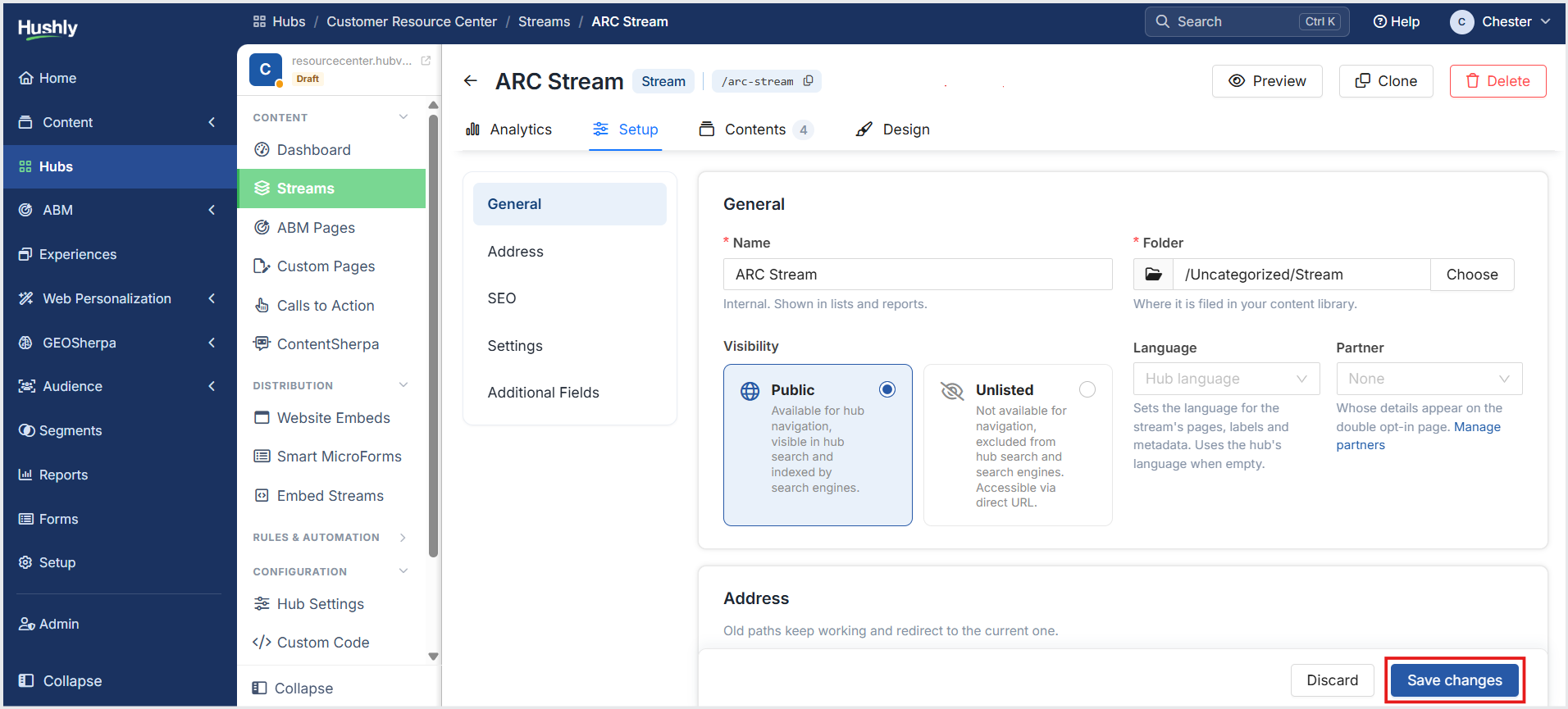
Stream Details page provides dedicated tabs for managing its analytics, setup, contents, and design. Make the necessary changes, and click Save changes.
Deleting a Stream
To delete a Stream, follow the steps below:
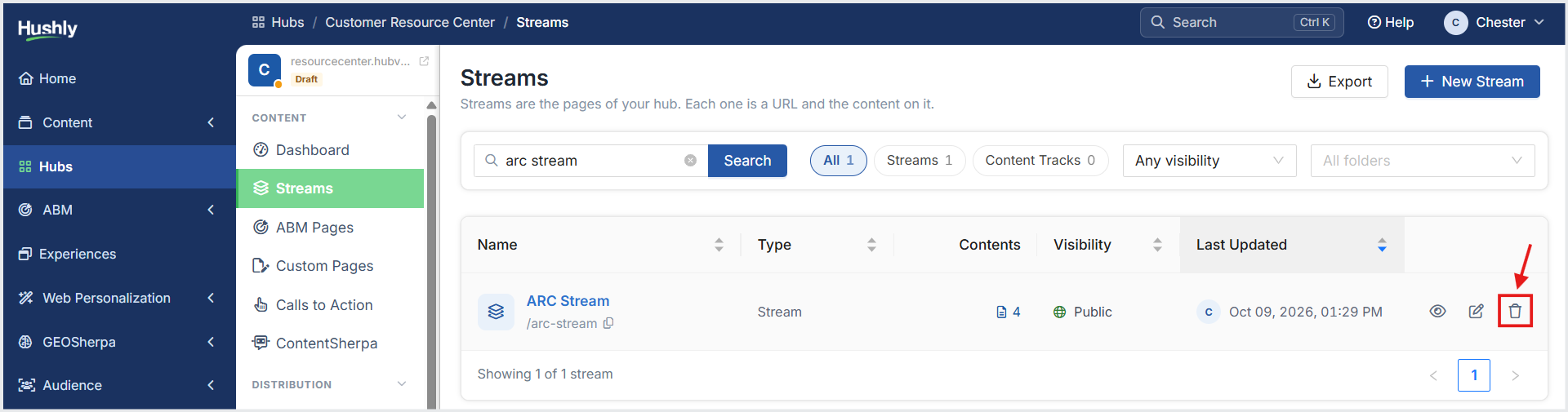
From the Left Navigation Menu, click Hubs. On the Hubs listing page, select the Hub you want to manage. From the Hub Menu, under CONTENT, click Streams. On the Streams listing page, click the Delete icon on the right side of the page for the Stream you want to delete.
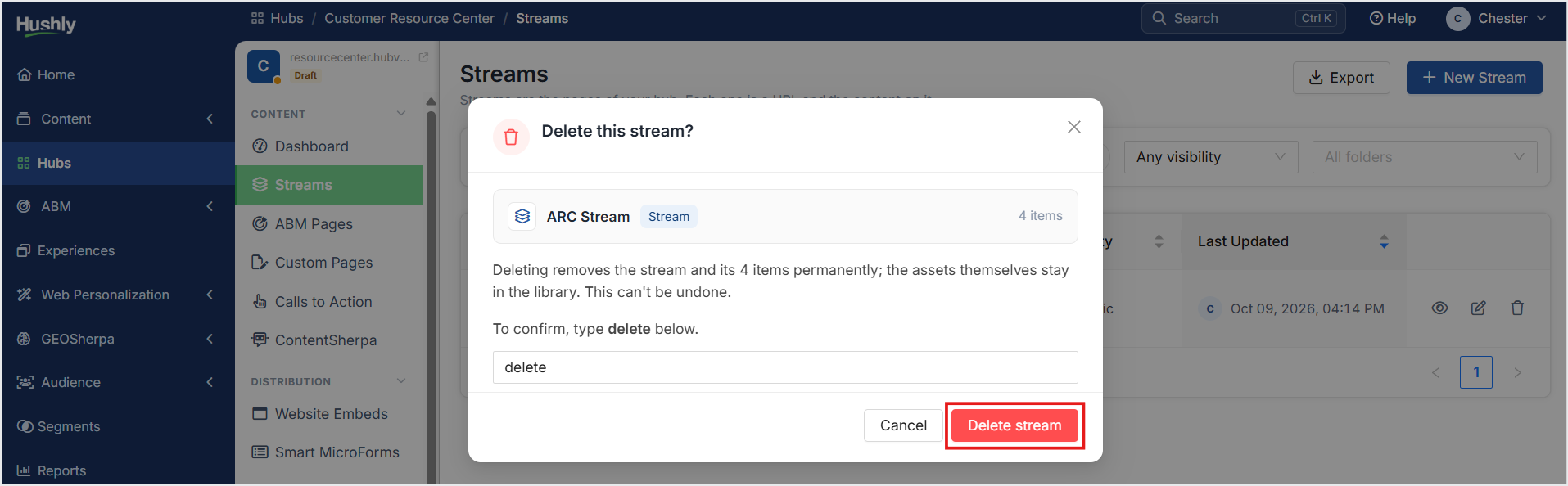
A confirmation message is displayed. Click Delete stream.
Was this article helpful?
That’s Great!
Thank you for your feedback
Sorry! We couldn't be helpful
Thank you for your feedback
Feedback sent
We appreciate your effort and will try to fix the article